A Honduras Map has to explain a country that opens broadly toward the Caribbean Sea yet also reaches the Gulf of Fonseca on the Pacific side. Its 18 departments extend from compact western border areas to the much larger eastern shapes of Olancho and Gracias a Dios, while the Islas de la Bahía sit offshore. A single national outline cannot show those relationships as clearly as a departmental map.
The supplied collection contains three maps built on the same administrative framework: a pastel color reference, a labeled black-and-white version, and an unlabeled outline. A fourth image shows the national flag. The three map previews measure 1,200 × 849 pixels; the flag measures 900 × 450 pixels. Source materials identify an A3-oriented printable package with JPG and PNG files distributed through the protected ZIP.
These resources suit department identification, country profiles, classroom exercises, presentation slides, regional comparisons, and carefully sourced infographics. They are not road, municipality, relief, population, or tourism maps. The department lines, neighboring-country context, coast labels, islands, and the capital marker are the information actually visible in the artwork.
Table of Contents
Honduras Map Collection Overview
The Honduras Map divides the mainland and Bay Islands into 18 first-level departments. Honduras’s National Institute of Statistics also reports 298 municipalities, but the supplied artwork does not draw those municipal boundaries. That distinction matters: the visible internal areas are departments, even when a user plans a project that eventually needs more detailed local data.
Western Honduras contains Copán, Ocotepeque, Lempira, Santa Bárbara, Intibucá, and La Paz near Guatemala and El Salvador. The north-central band includes Cortés, Atlántida, Yoro, and Colón along or near the Caribbean side. Comayagua and Francisco Morazán occupy the interior, while Valle and Choluteca reach the south. El Paraíso meets Nicaragua, and the large eastern departments of Olancho and Gracias a Dios dominate the right half of the page.
The star for Tegucigalpa appears inside Francisco Morazán. No other city symbols are shown, so the graphic should not be described as a major-cities map. The Bay Islands are drawn above the northern coast, and the surrounding labels identify Guatemala, El Salvador, Nicaragua, the Caribbean Sea, the Gulf of Honduras, and the Pacific Ocean. Those cues help readers place the country within Central America.
Several printed names need correction before reuse in formal materials. The map writes “Francisco Moraza,” omitting the final n in Francisco Morazán. It also removes Spanish accents and capitalization from labels such as Atlántida, Colón, Copán, Intibucá, Santa Bárbara, and Islas de la Bahía. The Cortés department shape is present, but its name is missing. The department geometry remains readable, but copy the official spellings from a verified source rather than from the image.
Included Map Versions
- Color labeled map: pastel department fills, boundaries, surrounding geography, and Tegucigalpa
- Monochrome labeled map: the same reference information without color fills
- Blank outline map: department boundaries without names or the capital marker
- Flag image: blue-white-blue stripes with five blue stars
The map views share the same extent, which makes them useful as a coordinated set. A teacher can introduce departments with the color version, provide the monochrome map as a reference, and use the outline for recall. A designer can follow the same sequence when moving from source checking to a custom overlay.
Color Honduras Map for Regional Comparison
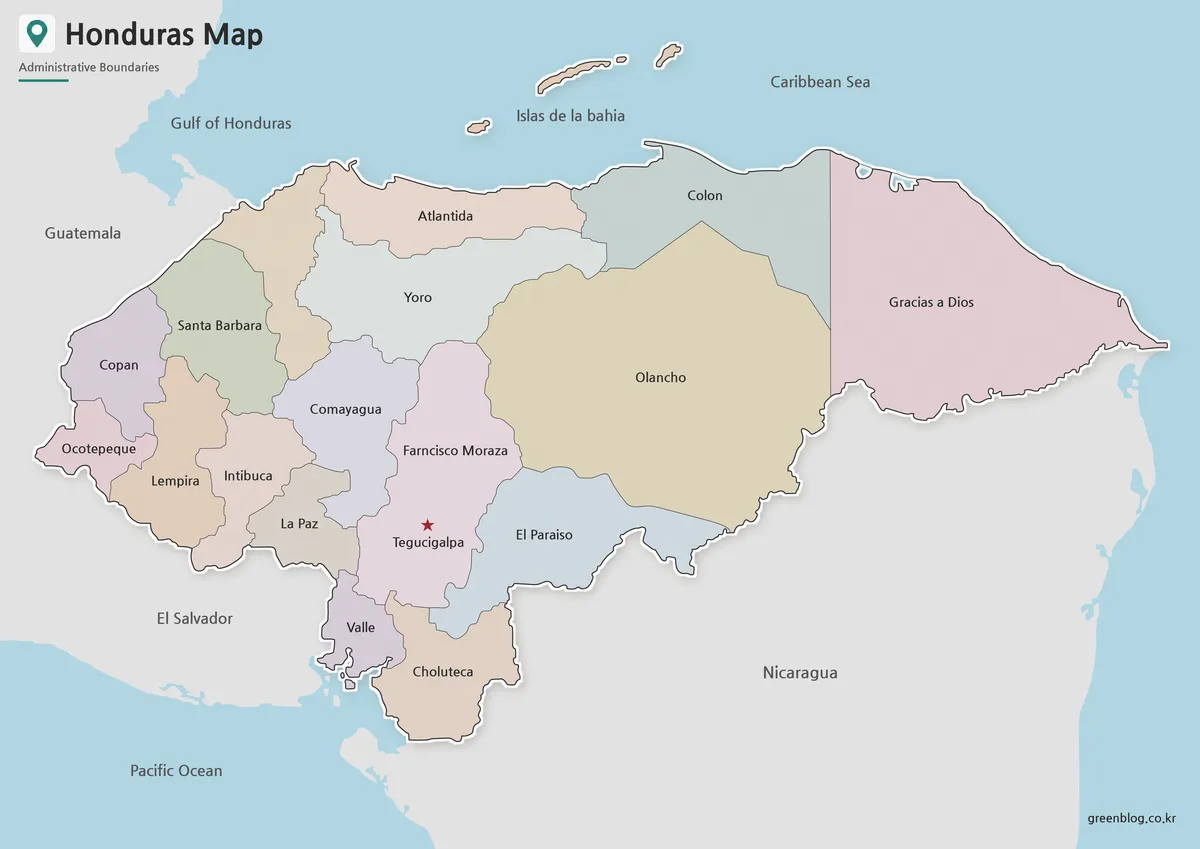
The color view gives each neighboring department a contrasting pastel fill. This helps separate the small western departments and makes the broad area of Olancho easy to distinguish from Yoro, Colón, Gracias a Dios, El Paraíso, and Francisco Morazán. The sea is blue and neighboring land is gray, so the national area remains visually dominant.
Use this version for a first explanation, an answer key, or a slide that must be understood quickly. The palette is categorical only: its colors do not encode population, elevation, climate, economy, or political results. If the map is adapted into a thematic graphic, replace or reinterpret colors only after adding a clear legend, source, unit, and reference date.
Keep the offshore islands and the narrow southern departments in frame when cropping. Removing the top margin can cut the Islas de la Bahía, while trimming the bottom can weaken the country’s relationship with the Gulf of Fonseca. A full-frame image is more informative than a larger crop that loses geographic context.
Black and White Printable Honduras Map
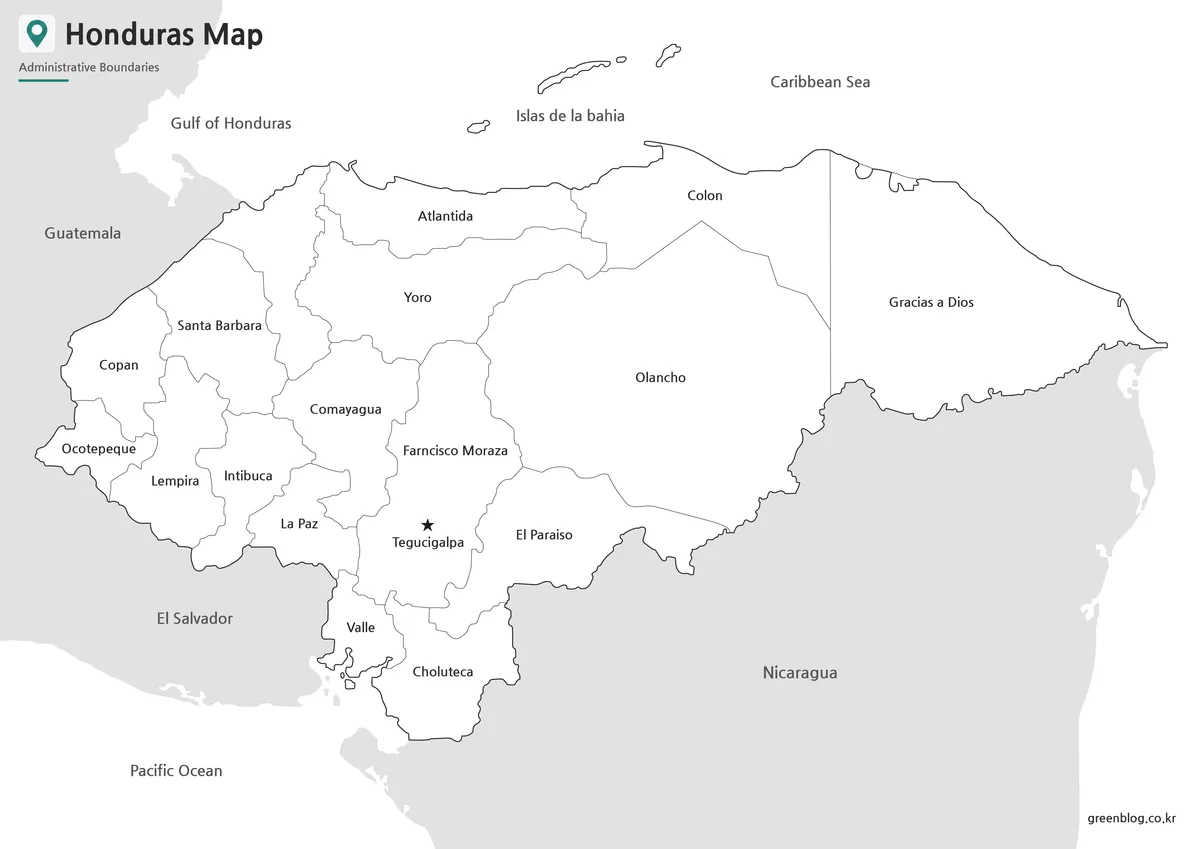
The monochrome map retains department names, boundaries, the Tegucigalpa star, neighboring countries, and the coastal context. Without colored interiors, it uses less ink and leaves more room for circles, arrows, short notes, or keyed hatching. It fits reports and worksheets whose other charts already use color to communicate data.
For classroom work, the sheet can serve as a labeled reference beside an unlabeled exercise. It is also useful when photocopying, because the core divisions do not depend on subtle color differences. Test one page before a large print run; the smallest names and the island outlines benefit from landscape orientation and the larger A3 layout described in the package.
Do not enlarge the 1,200 × 849 preview indefinitely. It is raster artwork, not a confirmed vector source, so magnification cannot create extra boundary detail. Preserve the original aspect ratio to prevent the departments from becoming wider or taller than their intended shapes.
Blank Honduras Outline Map for Editing
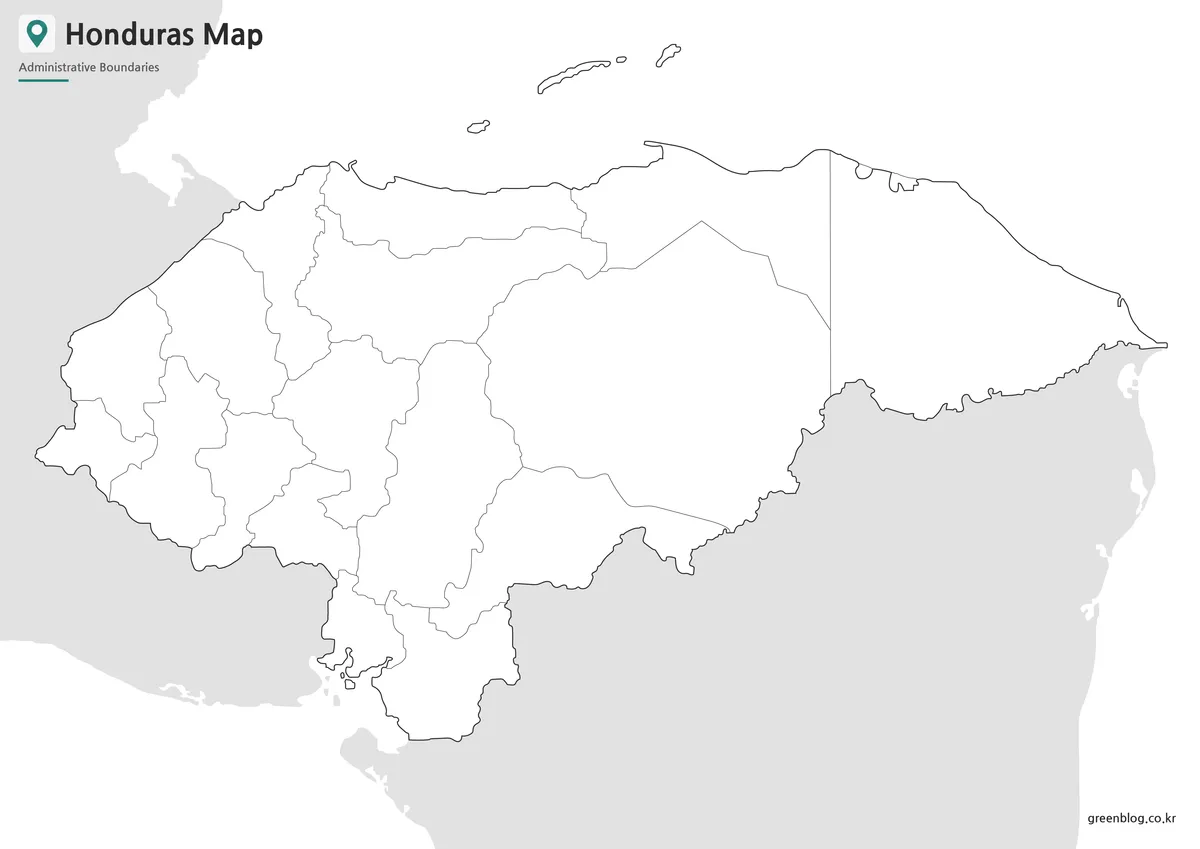
The blank version removes department labels, capital and neighbor names, and water text while preserving the internal framework and surrounding land silhouettes. It is the best starting point for quizzes, coloring, numbered keys, custom department labels, or a thematic project that needs an uncluttered base.
Keep an untouched master copy and add information on separate layers. That workflow allows fills, icons, text, and routes to be corrected without erasing the original boundaries. Use the labeled map beside it while placing names: the western cluster and the junctions around Comayagua, La Paz, and Francisco Morazán can be difficult to identify from shape alone.
The outline does not prove any added statistic. A population, rainfall, land-use, election, or travel overlay needs its own reliable source and date. It also does not provide municipality lines, even though Honduras has 298 municipalities; adding municipal claims to these 18 department shapes would misrepresent the resource.
Honduras Flag Image
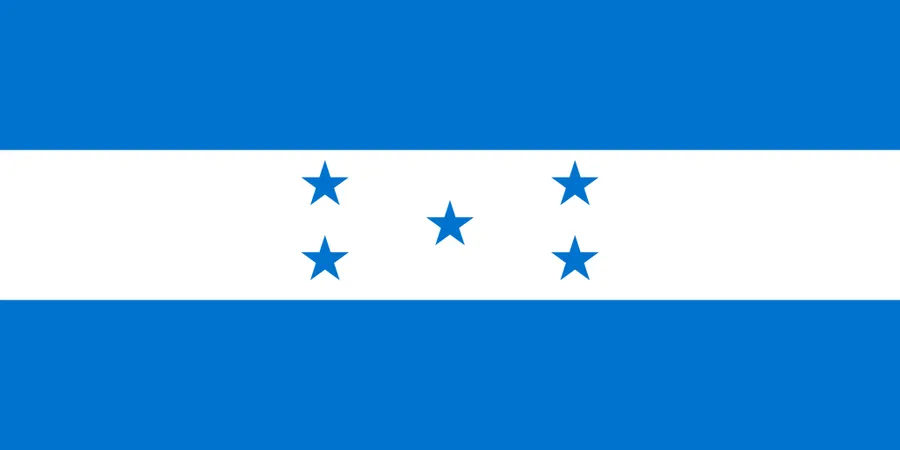
The fourth resource is a clean 2:1 flag image. Two blue horizontal bands surround a white center containing five blue stars. It can accompany a country profile, title slide, classroom poster, or comparison panel, but it contains no geographic information and should not replace one of the department maps.
When the flag and map appear together, give them separate captions so readers understand their roles. The map explains administrative arrangement and location; the flag provides national identification. Avoid stretching the flag into the map’s 1,200 × 849 proportions, because doing so would distort its original 900 × 450 ratio.
Practical Uses for This Honduras Map
A Honduras Map is most useful when the task begins with departments, national position, or the capital. The color version supports rapid recognition, the monochrome version supports low-ink reference, and the outline supports active recall or customization. The common geometry makes it easy to move from one stage to the next.
- Country introduction: show the 18 departments, Tegucigalpa, three land neighbors, and two coastal sides.
- Classroom sequence: explain with color, review with labels, and test with the blank outline.
- Presentation design: use the full map for context and the flag as a separate national symbol.
- Thematic work: add only verified data, a legend, units, and a date to a duplicated outline.
Why This Map Format Is Useful
A coordinated set avoids forcing one image to perform every job. Labels improve reference but interfere with recall exercises; color speeds recognition but may conflict with thematic data; a blank base invites customization but requires a separate key. The three map treatments solve those different needs without changing the department geometry.
The regional frame is equally useful. Guatemala, El Salvador, and Nicaragua remain visible around Honduras, and the Caribbean and Pacific labels show that the country is not confined to one coast. The Bay Islands reinforce the offshore component. For roads, terrain, municipalities, cities beyond Tegucigalpa, or current statistical analysis, use a more specialized source alongside this collection.
FAQ
What does the Honduras Map include?
The Honduras Map includes administrative boundaries, regional labels, the capital city location, and neighboring country context.
Can I print this Honduras Map?
Yes. The files are prepared for high-resolution printing and are suitable for A3-size output.
Which version is best for classroom use?
The black and white map works well for handouts and worksheets. The outline map is better for labeling or coloring activities.
Is the outline map editable?
Yes. The blank outline version can be edited in design software or used as a base for custom map projects.
Map File Information
Honduras Department Map Files
- Included Files: Use only the versions confirmed in the article and supplied images
- File Type: Use the confirmed download contents
- Intended Use: Printing, education, presentations, and map-based projects
Related Maps
Additional Resources
- INE Honduras: Territory — Consult the national statistics institute’s official territory tables for Honduras and its 18 departments.
Green Map creates custom-edited map images using open geographic data sources such as geoBoundaries, Natural Earth, OpenStreetMap, and government open data.
These maps are edited visual materials, not raw data files, and are provided for education, documents, presentations, and graphic reference.