A Florida Map has to explain more than a familiar peninsula. The state extends west through the Panhandle, narrows between two long coasts, and continues south toward the Florida Keys, so distances and regional relationships are easy to underestimate from text alone. A map also shows why Pensacola, Tallahassee, Jacksonville, Orlando, Tampa, Miami, and Key West belong to very different parts of the same state.
This collection provides three confirmed versions: a color county map, a black-and-white labeled map, and a blank county outline map. Each is supplied as a JPG image prepared for a high-resolution A3 layout. Teachers can use the set for state-geography lessons, travelers can mark broad trip stages, and designers can select a clean base for slides, blog graphics, worksheets, or infographics.
Table of Contents
Reading Florida from the Panhandle to the Keys
Florida occupies the southeastern corner of the contiguous United States. Alabama borders the western end of the Panhandle, while Georgia meets the state along the remainder of its northern boundary. Water defines most of the other edges: the Atlantic lies to the east, and the Gulf of Mexico lies to the west and south of the Panhandle. That combination gives the state a directional layout unlike a compact inland state.
The northern tier is broad and mostly horizontal, but the peninsula turns south and becomes progressively narrower. On the supplied maps, the distance from Escambia County at the far western end to Miami-Dade County in the southeast is visually substantial. Monroe County adds another complication because it includes the Florida Keys, a chain of islands extending southwest beyond the mainland. Keeping those small islands visible is important for recognizing the state’s full geographic form.
A Florida Map also helps readers place major urban regions correctly. Tallahassee, the state capital, is in Leon County in the Panhandle rather than near the population centers of central or southern Florida. Jacksonville is in the northeast, Orlando lies in the central peninsula, Tampa Bay faces the Gulf coast, and the Miami area occupies the southeast. These separated centers make a map valuable for explaining statewide travel or comparing Atlantic, Gulf, inland, and Keys locations.
Florida Map and Its 67-County Structure
Florida has 67 counties, and all 67 county areas are represented in the supplied boundary layout. Their shapes vary considerably. Large inland and southern counties occupy broad areas, while several coastal and metropolitan counties are narrow or visually compact. Pinellas County, for example, needs a leader line for its label in the provided labeled maps, and names along the Atlantic side must fit within a slim coastal strip.
These are county-reference images, not road or terrain maps. They do not show highways, driving distances, elevation, attractions, or detailed municipal boundaries. City references can help a reader understand the state, but the labeled map itself primarily identifies counties along with the Atlantic Ocean and Gulf of Mexico. For route planning or navigation, the image should therefore be combined with a current road or navigation source.
Three Map Versions in the Download
Color County Map for Fast Regional Comparison
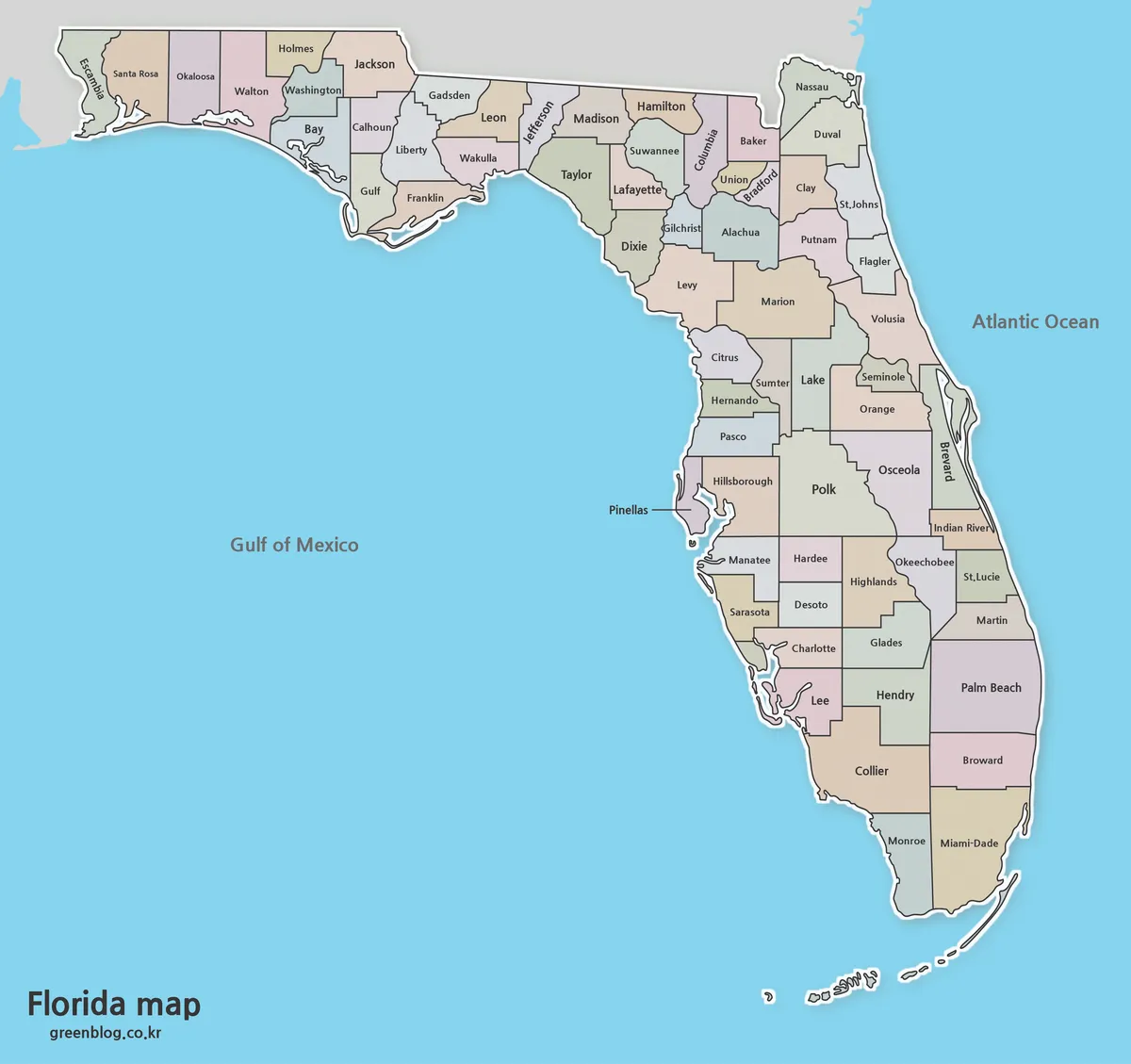
The color edition separates neighboring counties with muted fills while retaining dark boundary lines and county names. This treatment is particularly helpful where many small counties meet in northern and north-central Florida. It also makes the transition from the Panhandle into the peninsula easier to follow without adding a dense legend or extra symbols.
Use this Florida Map when an audience needs to identify county areas quickly on a screen. The contrast supports classroom projection, state-profile slides, regional comparisons, and blog illustrations. It can also serve as a visual index before readers move to a more detailed county page. Because the water is blue and the land areas are softly differentiated, the state’s Atlantic and Gulf orientation remains immediately apparent.
Black-and-White Labeled Map for Documents
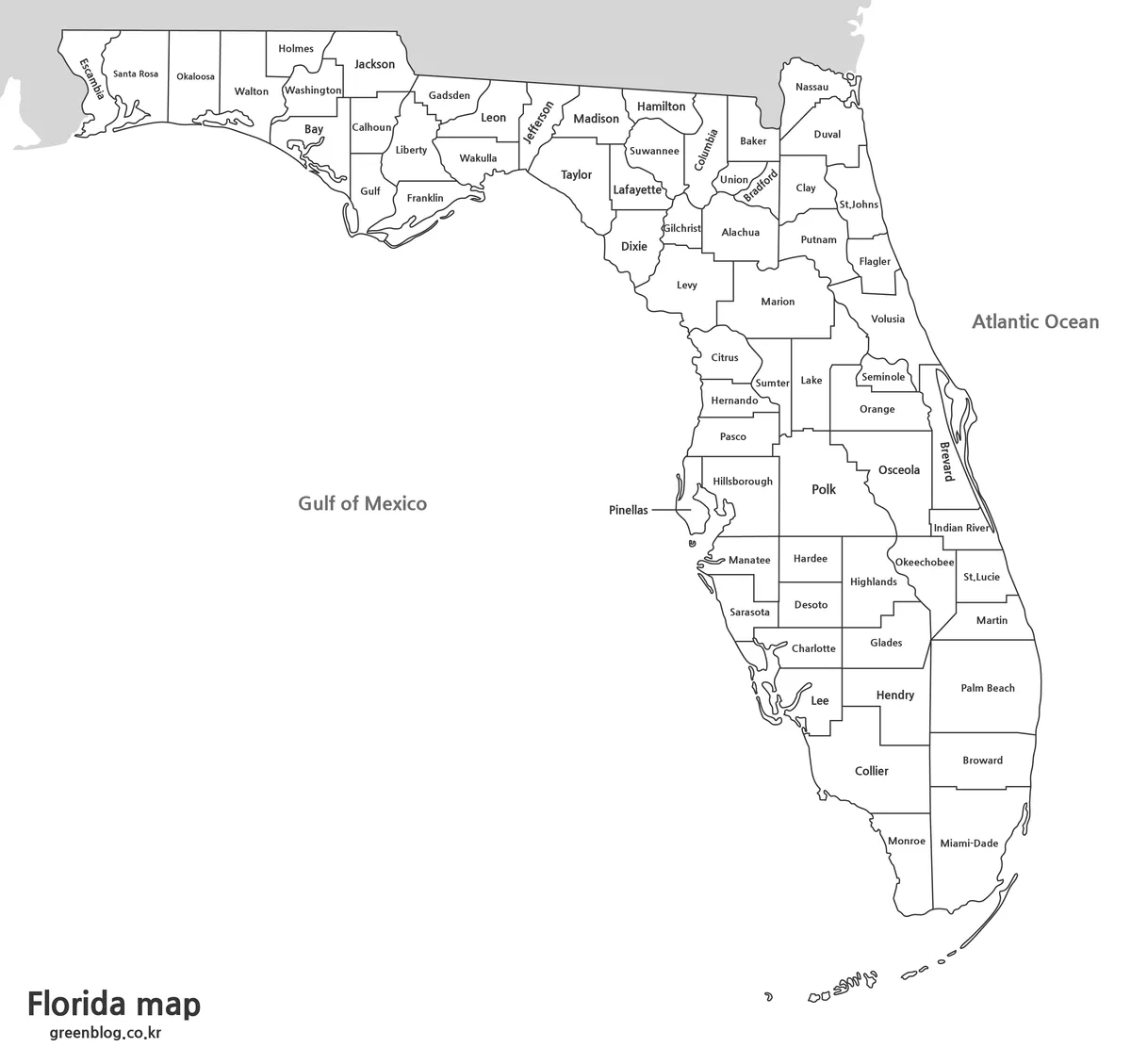
The black-and-white Florida Map removes county fills while retaining names and internal boundaries. This reduces visual competition in a report or worksheet and makes the page easier to reproduce on a monochrome printer. The labeled format is appropriate when readers must locate a county without consulting a separate key.
Florida’s narrow peninsula creates a practical labeling challenge, especially along the east coast and around the Tampa Bay area. The layout uses compact type and a leader line for Pinellas County so that the geographic shape remains readable. Choose this version for study sheets, printed references, handouts, or document inserts where color would not add enough value.
Blank Outline Map for Custom Information
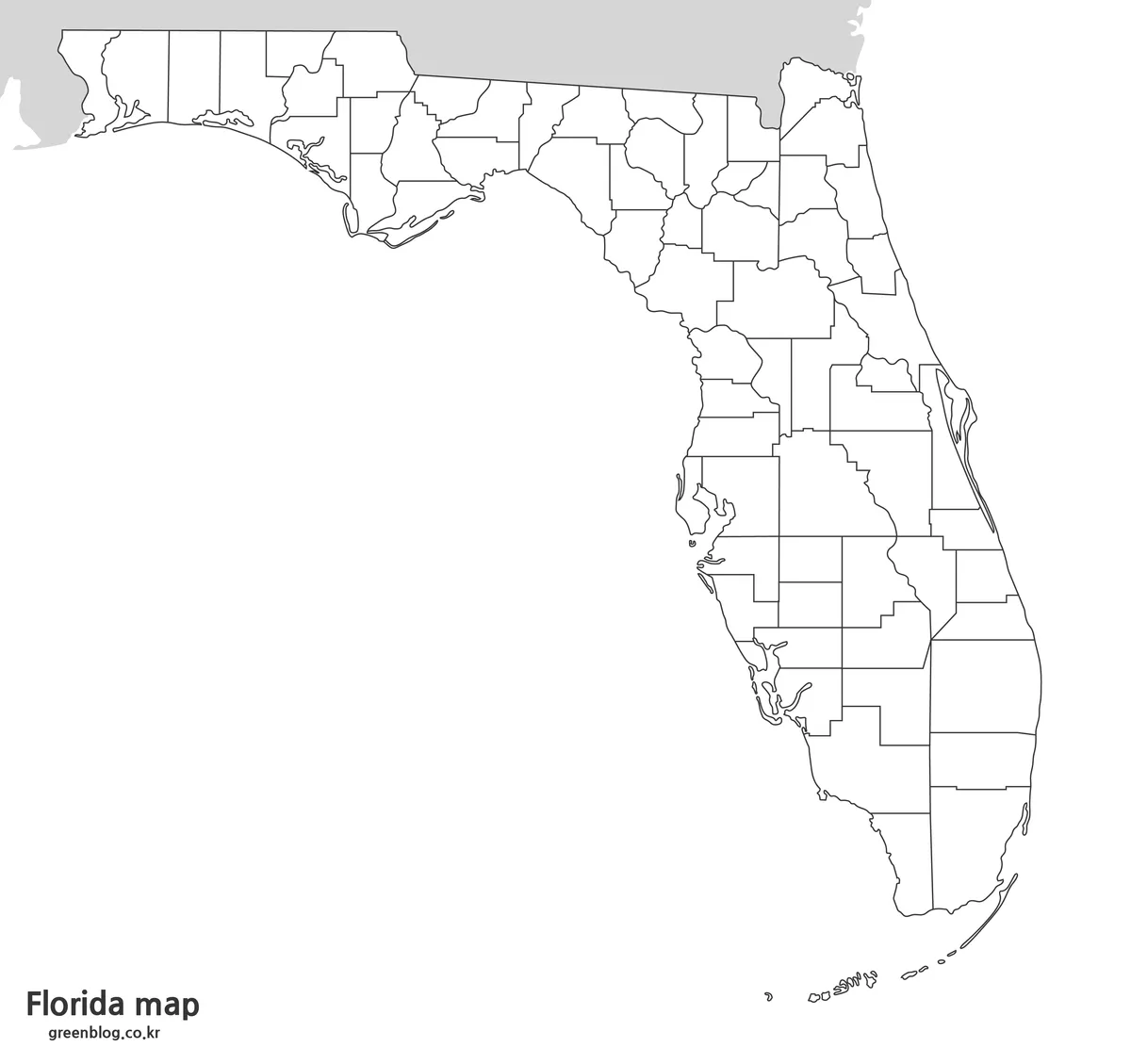
The outline file keeps the state coastline and all county divisions but removes county names and color fills. It gives students a base for identifying counties, marking the capital, or creating a north-to-south labeling exercise. A teacher might ask learners to color Panhandle counties separately, locate counties on both coasts, or identify the county containing the Florida Keys.
For design projects, the blank Florida Map can support custom categories such as presentation territories, research groups, broad travel stages, or county-level statistics. Since the confirmed file is a JPG rather than a vector source, edits are raster-based. Add text and color on separate layers in an image editor when possible, and keep an untouched copy of the original for reuse.
Choosing the Best Version for Your Project
Start with the reader’s task. Select the color map if rapid county separation matters more than space for annotation. Choose the black-and-white labeled edition when county names must remain available in a printed document. Use the outline when the audience should supply labels, colors, values, routes, or symbols rather than simply read existing information.
Output size matters as well. The A3 layout offers room for the long Panhandle and the narrow southern peninsula on the same landscape page, but the file can be scaled down for A4 or letter-size printing. At smaller sizes, check names in the Panhandle, the northeast, and the central Gulf coast before producing a full batch. If labels become too small, print the labeled image on a larger sheet or crop a regional detail for supporting material.
A presentation may benefit from the color Florida Map as an overview followed by enlarged regional slides. A classroom activity can reverse that order: begin with the blank outline, let students add information, and finish with the labeled version for checking. Designers should avoid stretching the image disproportionately because Florida’s elongated shape and the Keys are important orientation cues.
Print and Layout Notes
Before printing, use “fit to page” if the printer cannot handle A3 paper or if the image approaches the printable margins. Maintain the original aspect ratio, and preview the smallest county labels at the intended size. For slides, place the image against a simple background and avoid covering the eastern coastline or the Keys with titles, logos, or legends.
Frequently Asked Questions
What is included in the Florida Map download?
The ZIP archive contains three confirmed JPG map versions: a muted-color county map with labels, a black-and-white county map with labels, and a blank outline map retaining county boundaries. All are prepared in a high-resolution A3 layout for printing, screen presentation, and raster-based editing.
Does the labeled map show all Florida counties?
Yes. Florida has 67 counties, and this Florida Map displays their names within or beside the county areas. It is intended as a county reference, so it does not add a road system, detailed city network, elevation layer, or attraction markers.
Which version should I use for a county-labeling activity?
Use the blank outline map as the activity sheet because it preserves county divisions without supplying the answers. Keep the black-and-white labeled map as a reference or answer guide. The color map can then help students compare neighboring county areas after the labeling exercise.
Can the A3 maps be printed on smaller paper?
Yes. Scale the image proportionally with the printer’s fit-to-page setting for A4 or letter paper. Review the preview carefully, since compact labels around the Panhandle, northeastern counties, and Tampa Bay may become harder to read after substantial reduction.
Can I use the outline file as an editable vector map?
No vector format is confirmed in this download. The supplied outline is a JPG image, so it can be colored, labeled, cropped, or annotated in raster-editing software. For cleaner revisions, place new information on separate layers and preserve the original image unchanged.
Map File Information
Download three Florida county-map styles for labeled reference, monochrome printing, classroom activities, presentations, and custom raster graphics.
- Included Versions: Color county map, black-and-white labeled map, and blank county outline map
- Printable Size: High-resolution A3 layout
- File Type: JPG images in a ZIP archive
- Intended Use: Printing, education, presentations, annotation, and infographic design
Related Maps
- Free Printable Texas Map Set for Education, Presentations and Editing
- Jamaica Map Download Pack for Printing, Education and Design Projects
- Washington State Map Download – Color, Blank, and Printable Map Pack
- Printable New York City Map Collection – Color, Black and White & Outline Maps
Additional Resources
- Florida Facts from VISIT FLORIDA: Learn more about the state’s two coasts, natural features, waterways, and geographic scale.
Green Map creates custom-edited map images using open geographic data sources such as geoBoundaries, Natural Earth, OpenStreetMap, and government open data.
These maps are edited visual materials, not raw data files, and are provided for education, documents, presentations, and graphic reference.