A Bahrain Map has to balance two very different visual patterns: a dense cluster of islands and coastal pieces in the north, and the long Southern Governorate extending toward a narrow point below them. The kingdom is not represented by one simple island outline. Muharraq, Umm an Nasan, smaller detached forms, and the Hawar Islands inset all contribute to the page.
This collection presents that structure in three coordinated views. The color edition separates Capital, Muharraq, Northern, and Southern governorates with muted fills; the black-and-white edition retains their names and boundaries; and the outline removes geographic labels for practice or custom annotation. Each preview uses the same portrait composition, detailed coastline, and inset geometry.
All three published previews measure 1,200 × 1,535 pixels and are WebP images. They can support geography lessons, administrative reference, report illustrations, slides, and labeling activities. They do not display roads, bridges, causeways, cities, a north arrow, a scale bar, elevation, bathymetry, or neighboring countries, so they should not be treated as navigation charts or survey maps.
Table of Contents
What the Bahrain Map Collection Shows
The two labeled versions identify Bahrain’s four governorates: Capital, Muharraq, Northern, and Southern. They also name Umm an Nasan, the Hawar Islands, the Persian Gulf, and the Gulf of Bahrain. The outline edition preserves the external coastlines and internal administrative lines but leaves those place names off the geographic field.
- Color reference: four governorate fills, blue water, geographic labels, and a framed Hawar Islands inset
- Monochrome reference: the same labels and boundary framework on white land and water
- Blank outline: governorate and island geometry without geographic labels or color categories
The inset is an essential part of the design rather than a decorative extra. It enlarges the Hawar group so its individual shapes remain visible without forcing the main panel to shrink. Because an inset may use a different visual scale, readers should interpret it as a locator and detail view, not as proof that the islands sit at the pictured distance from the main island.
The visible Bahrain Map also reflects an intricate modern coastline in the north and northeast. Some narrow channels and angular shoreline forms are clearly rendered, but the artwork provides no date or land-reclamation history. For formal planning or legal use, the coast and administrative limits should be checked against a current government source.
Reading Four Governorates from North to South
Muharraq occupies the upper-right island cluster in the artwork. Its outline contains many indentations, detached pieces, and narrow extensions, making it visually more complex than the large southern area. The map labels the governorate but does not mark Muharraq city, Manama, Bahrain International Airport, or connecting causeways.
Capital Governorate appears on the north-central and northeastern side of the main island. Its compact, irregular form sits beside Muharraq and above several coastal shapes that require close reading. Northern Governorate covers much of the northwestern side, extending farther down the main island in a comparatively narrow band.
Southern Governorate dominates the lower panel and reaches the pointed southern end. The same governorate color is used for the Hawar Islands in the inset, creating a visual connection between the large mainland portion and the detached island group. Umm an Nasan is shown separately to the west and colored with the Northern Governorate in the reference edition.
Reading the Bahrain Map from north to south therefore reveals a strong contrast: smaller administrative spaces overlap with the most fragmented shoreline in the upper portion, while one large governorate fills most of the lower island. A plain national silhouette would not communicate that relationship as clearly.
Color Bahrain Map for Fast Regional Comparison
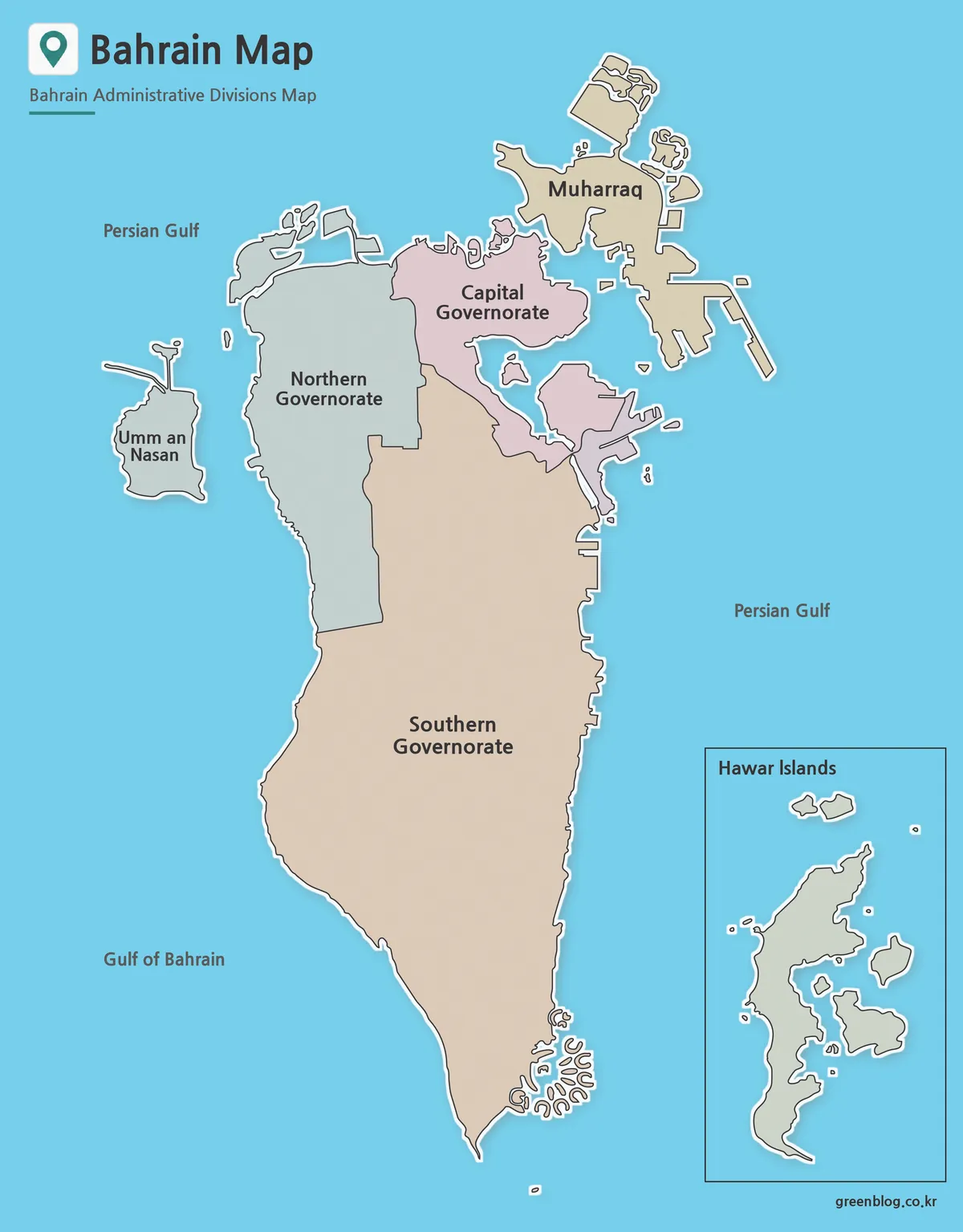
Pale pink, tan, gray-green, and blue fills separate the four jurisdictions while bright blue water keeps every island edge visible. Color is particularly helpful near Capital and Muharraq, where coastlines and internal divisions sit close together. It also lets viewers connect the distant Hawar inset with the Southern Governorate without reading every label first.
The palette is categorical only. It does not represent population, elevation, development, land cover, political preference, or economic value. If a presentation adds statistics, place them in a new legend with units, source, and date so the original administrative colors are not mistaken for the added data.
Choose this view for an opening slide, an administrative overview, or an answer key beside the blank version. The vertical layout suits the kingdom’s north–south extent, but the northern details may still need an enlarged follow-up panel when projected in a large room. Avoid covering small islands with text boxes or callouts.
Black and White Version for Printing
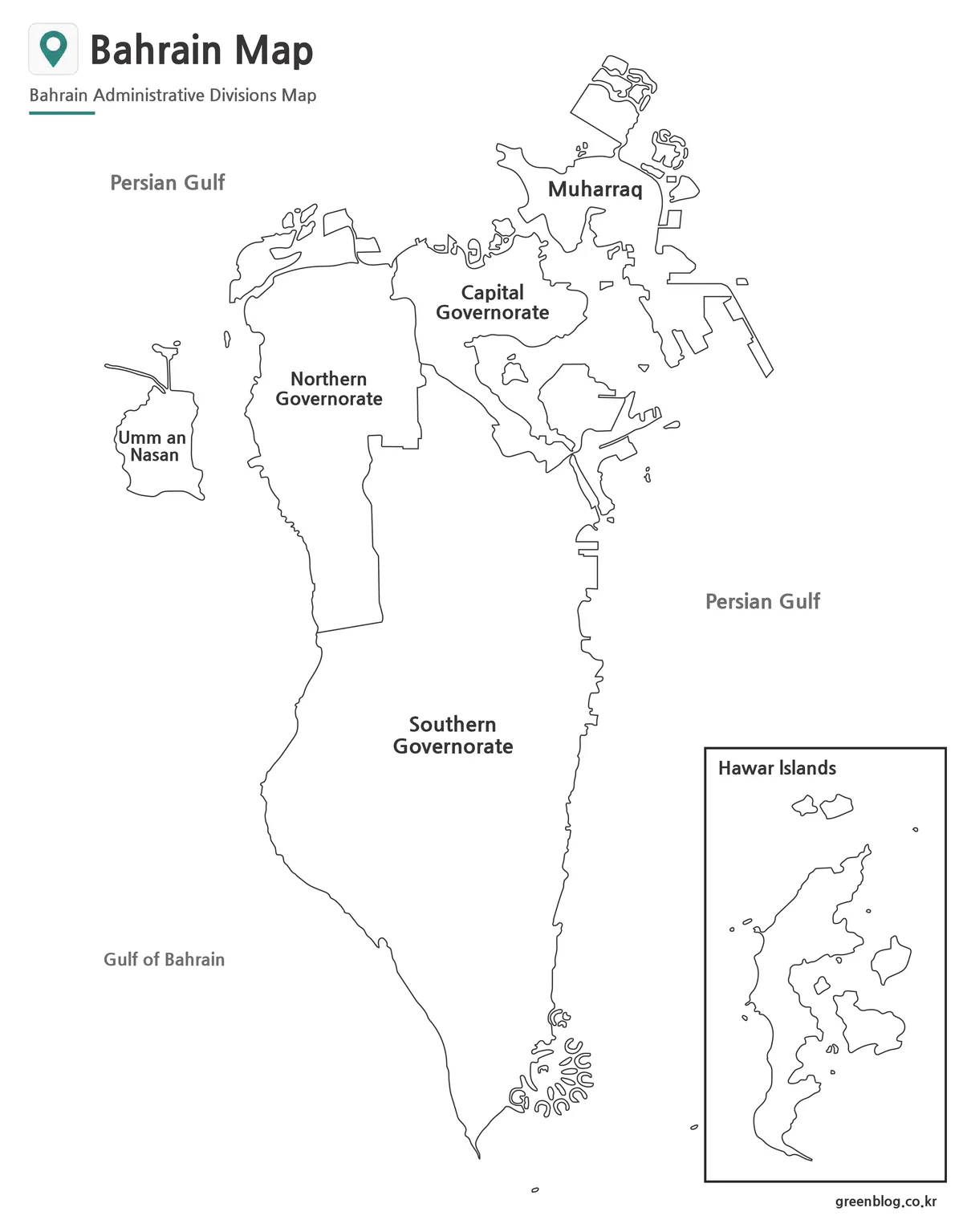
The black-and-white Bahrain Map keeps the four governorate names, Umm an Nasan, the two water labels, and the Hawar Islands caption while removing the blue sea and regional fills. Boundary lines and text become the primary reading aids. This makes the version suitable for monochrome reports, study packets, and photocopied reference sheets.
It remains a labeled guide rather than a recall exercise. Students can compare the width of Northern Governorate with the long Southern Governorate, identify which unit includes the inset islands, or locate Muharraq relative to the main island. The outline edition is a better choice when names should be supplied independently.
Print quality depends on fine-line reproduction. Run one proof before producing a classroom set and inspect the small northern islands, the internal line beside Capital Governorate, and the narrow coastal extensions east of the main island. Preserve the portrait ratio; stretching the sheet can distort channels, coastline angles, and the inset frame.
Blank Outline Map for Labeling and Overlays
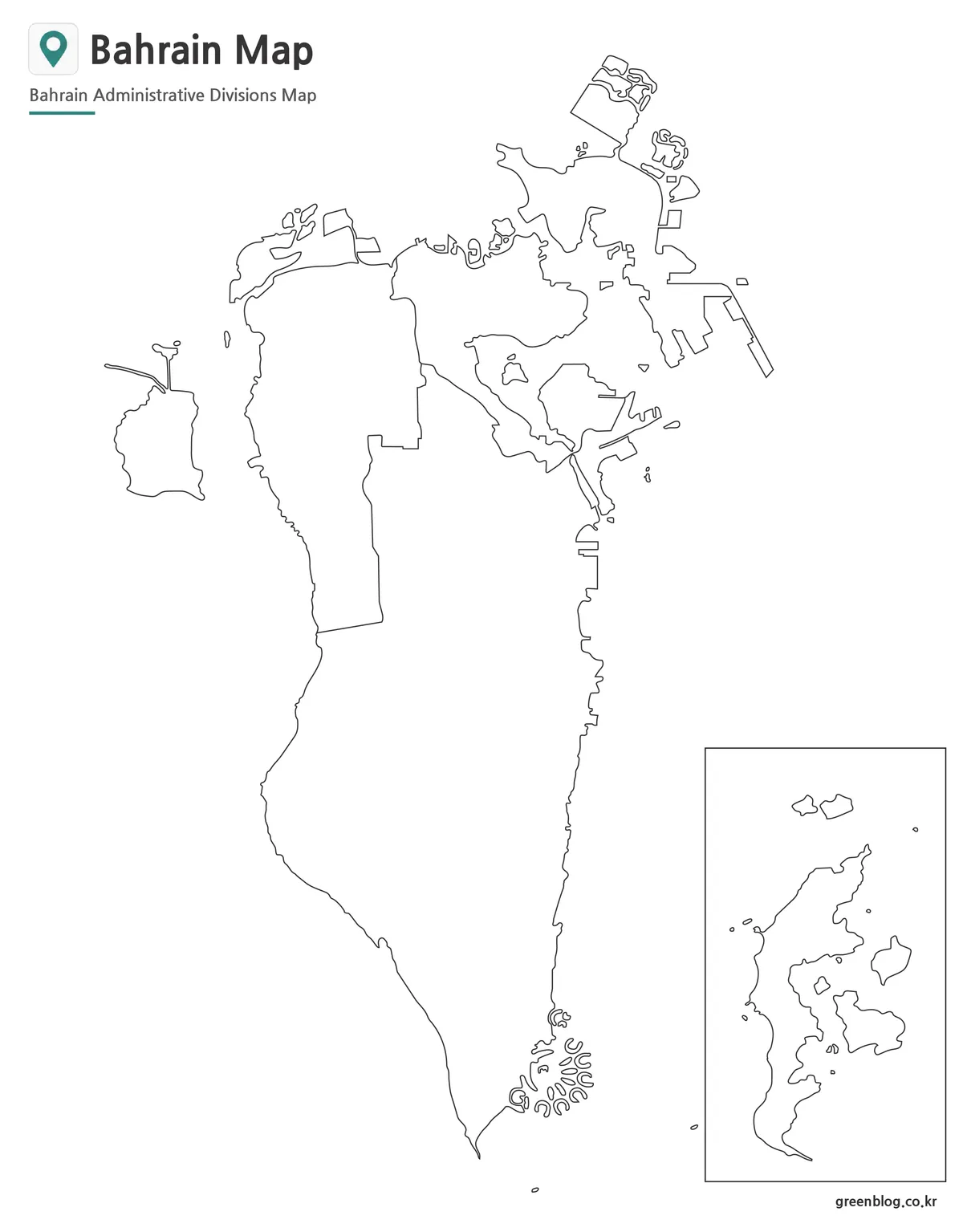
The outline Bahrain Map removes governorate names, island names, water labels, and fill colors while retaining the four-area framework and the Hawar inset. Learners can label the governorates, identify Umm an Nasan and Muharraq, connect the inset to Southern Governorate, or add the Persian Gulf and Gulf of Bahrain.
Designers may add selected points, routes, or sourced thematic categories, but the base supplies no city positions, transport network, or scale. A route drawn on the blank sheet would be a user annotation, not information contained in the source. Include a legend and source note whenever new symbols or values are introduced.
“Blank” describes the geographic labeling area, not an empty canvas or transparent file. The title, subtitle, location-pin graphic, inset frame, and site mark remain visible. The preview is a flat raster image rather than a confirmed SVG or layered editing source, so keep an untouched copy and add content at the intended output size.
Selecting and Preparing the Right Version
Select color when an audience must separate governorates immediately, monochrome when labels need to remain visible in a restrained document, and outline when users will write or design on the map. A complete lesson can move from color orientation to monochrome review and then to blank recall without changing the underlying shapes.
A Bahrain Map used for Gulf-region context may need a second locator graphic. These files label surrounding water but do not show Saudi Arabia, Qatar, the King Fahd Causeway, or international distances. Keeping that limitation explicit prevents a focused governorate map from being misread as a regional transportation or geopolitical overview.
For slides, allow enough width for the Umm an Nasan label and enough height for both the northern islands and southern point. For print, avoid aggressive compression and inspect the Hawar inset at actual size. For a data graphic, keep labels outside small northern shapes where possible and use numbered callouts if direct text would obscure the coastline.
Coastlines and administrative classifications can change, particularly where development alters shorelines. Before formal, legal, statistical, or planning use, compare the Bahrain Map with a current government reference and record the verification date. For general education and presentation, it remains a clear visual explanation of four governorates distributed across an island kingdom.
Frequently Asked Questions
For this Bahrain Map collection, “editable” means that users can annotate a raster copy; it does not confirm a layered vector source. The protected answers below describe the intended print, presentation, and labeling roles of the three supplied versions.
Can I print the Bahrain maps?
Yes. The maps were prepared with high-resolution printing in mind and work well for large-format output.
Which version is best for presentations?
The color administrative map is usually the easiest to read during presentations and educational talks.
Is the outline map editable?
Yes. The blank outline version is intended for editing, annotations, custom labels, and infographic projects.
Are regional boundaries included?
Yes. All versions include Bahrain’s administrative boundary structure, although labels vary by map type.
Map File Information
The ZIP archive contains three coordinated four-governorate map images with a Hawar Islands inset.
- Included Versions: Color labeled, black-and-white labeled, and blank outline maps
- File Type: Image files supplied in a ZIP archive
- Intended Use: Lessons, reports, slides, printing, labeling, and custom annotations
Related Maps
Additional Resources
- Bahrain National Portal — Consult the official portal for current national information and government-service references.
Green Map creates custom-edited map images using open geographic data sources such as geoBoundaries, Natural Earth, OpenStreetMap, and government open data. These maps are edited visual materials, not raw data files, and are provided for education, documents, presentations, and graphic reference.