This Tunisia map has to fit an unusually long north–south country into a portrait page while keeping 24 governorate names readable. The small administrative cluster around Tunis occupies only a narrow section of the northern coast, whereas Kebili and Tataouine cover broad southern shapes. That contrast determines where labels can sit inside a region and where leader lines are necessary.
Tunisia faces the Mediterranean Sea and shares land borders with Algeria to the west and Libya to the southeast. Both neighboring countries are named in the labeled versions, and the sea is shown in blue on the color map. Several offshore island shapes are visible east of Sfax and around the Gulf of Gabes, but the artwork does not identify them by name.
The collection provides a pastel governorate reference, a black-and-white labeled sheet, and an unlabeled administrative outline. All three Tunisia map previews measure 1200 × 1697 pixels and use identical geometry. They can be placed side by side as a completed reference, a neutral print page, and a blank labeling exercise without shifting any boundary.
Table of Contents
Map Versions Included
The three versions show the same national outline and 24 governorates but offer different levels of guidance. The color edition separates adjacent units, the monochrome edition retains all governorate names, and the outline removes the answers for custom work. Every Tunisia map keeps the large page title, national and internal boundaries, surrounding land, and the site mark.
- Color reference: pastel governorate fills, English labels, blue water, Algeria, Libya, and the Mediterranean Sea.
- Monochrome reference: the same governorate and surrounding labels on white interiors.
- Blank outline: internal governorate boundaries without regional, neighboring-country, or sea names.
The labeled maps use English transliterations only; they are not bilingual. Tunis and Ariana use leader lines because their northern coastal areas leave little room for text. The Tunis label identifies the governorate and does not function as a point marker for the national capital. No city dots, roads, terrain, scale bar, north arrow, or statistical legend appears.
Northern Tunisia begins with Bizerte across the top and Jendouba along the northwestern border. Beja and Manouba sit between the western interior and the compact metropolitan cluster, while Ben Arous lies south of Tunis. Nabeul forms the long northeastern peninsula, with Zaghouan immediately inland.
Farther south, Kef and Siliana occupy the west-central interior. Kasserine extends below Kef, while Kairouan fills a large central area. Sousse, Monastir, and Mahdia create a close sequence along the east coast; Monastir is particularly narrow and receives a compact horizontal label.
Sidi Bouzid and Gafsa form the transition toward the south, with Sfax spanning a large section of the east-central coast. Tozeur and Kebili fill the southwest, Gabes and Medenine follow the Gulf of Gabes, and Tataouine dominates the lower portion of the country. The shift from numerous small northern units to broad southern ones is the clearest administrative pattern on the page.
Color Administrative Map for Regional Comparison
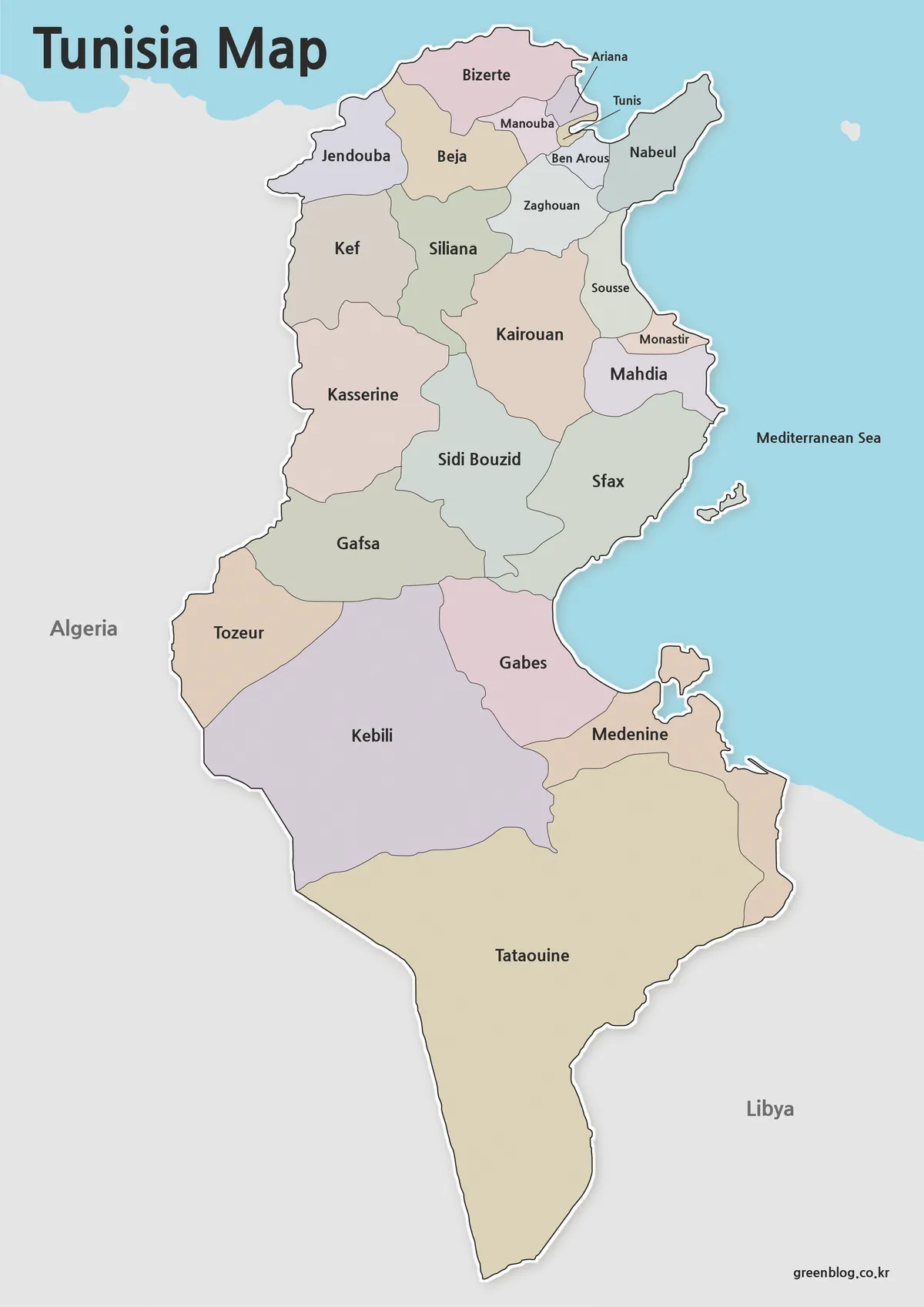
The color Tunisia map makes shared boundaries easier to follow from the densely divided north to the larger south. Contrasting fills separate Tunis, Ariana, Manouba, and Ben Arous around the capital region, clarify the narrow coastal sequence from Sousse to Mahdia, and distinguish Tozeur, Kebili, Gabes, Medenine, and Tataouine below Gafsa and Sfax.
Pastel colors are visual separators rather than data categories. They do not represent population, climate, elevation, tourism regions, economic activity, or governorate type, and no quantitative legend is supplied. A presenter adding thematic information should provide a separate key, cite the data source, and state the relevant year.
Blue water makes the Mediterranean coastline and offshore shapes easier to recognize than in the monochrome alternatives. This is the strongest version for a completed introductory slide because it combines names, boundaries, neighboring countries, and coastal context. It should not be treated as a physical, road, or maritime navigation map.
Clean Black and White Version for Printing
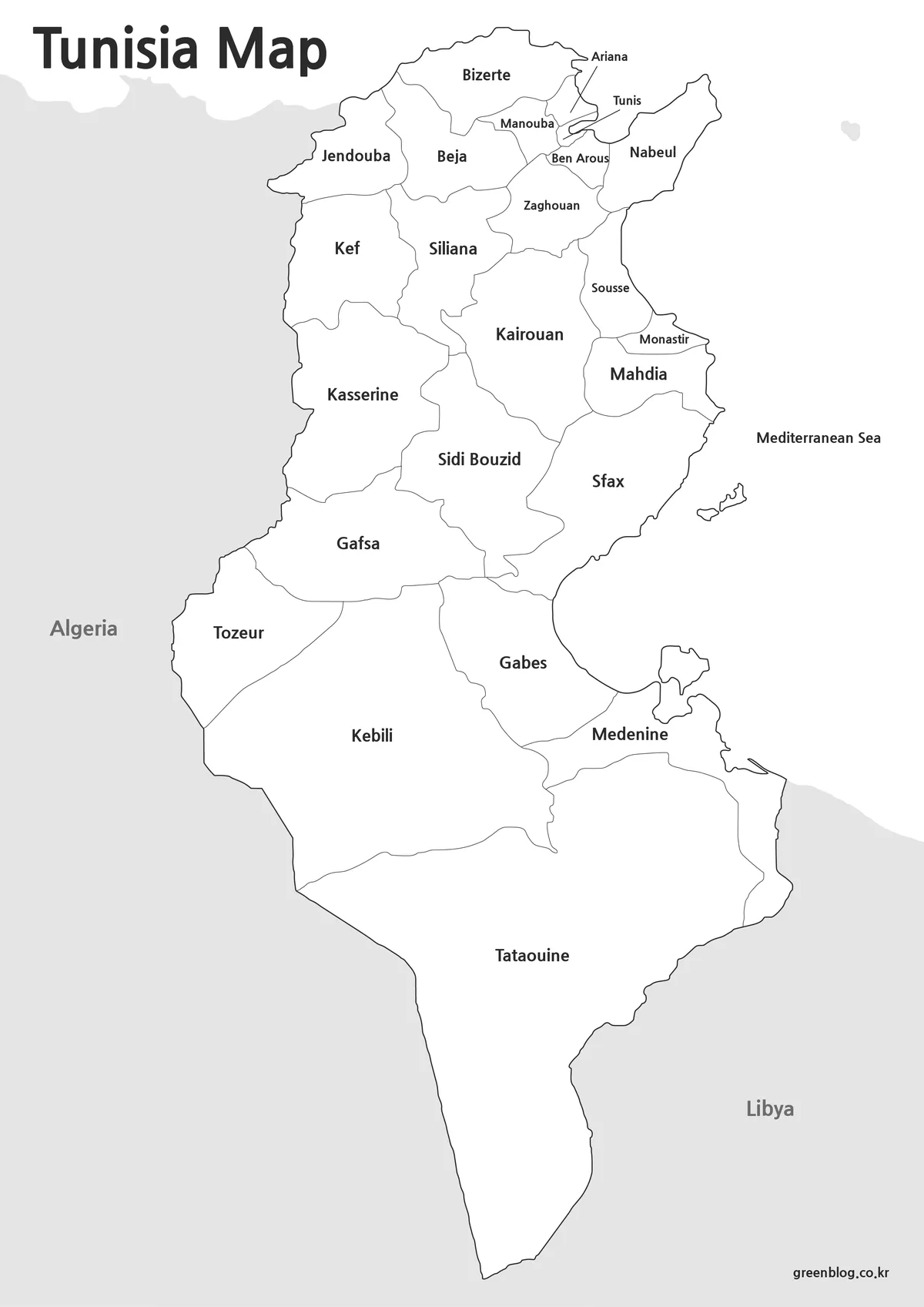
The black-and-white Tunisia map preserves every governorate name, the Tunis and Ariana leader lines, the Algeria and Libya labels, and the Mediterranean Sea text. White water and white governorate interiors reduce visual competition, while gray neighboring land keeps the international context distinct. The coast and islands remain outlined even without blue fill.
This version is appropriate for a document insert, printed directory, or classroom answer sheet where names must remain visible. Readers can circle coastal governorates, shade a north–south comparison, or annotate the borders by hand. At a smaller scale, check the Greater Tunis cluster and Monastir first because they have the tightest label placement.
Blank Outline Map for Editing Projects
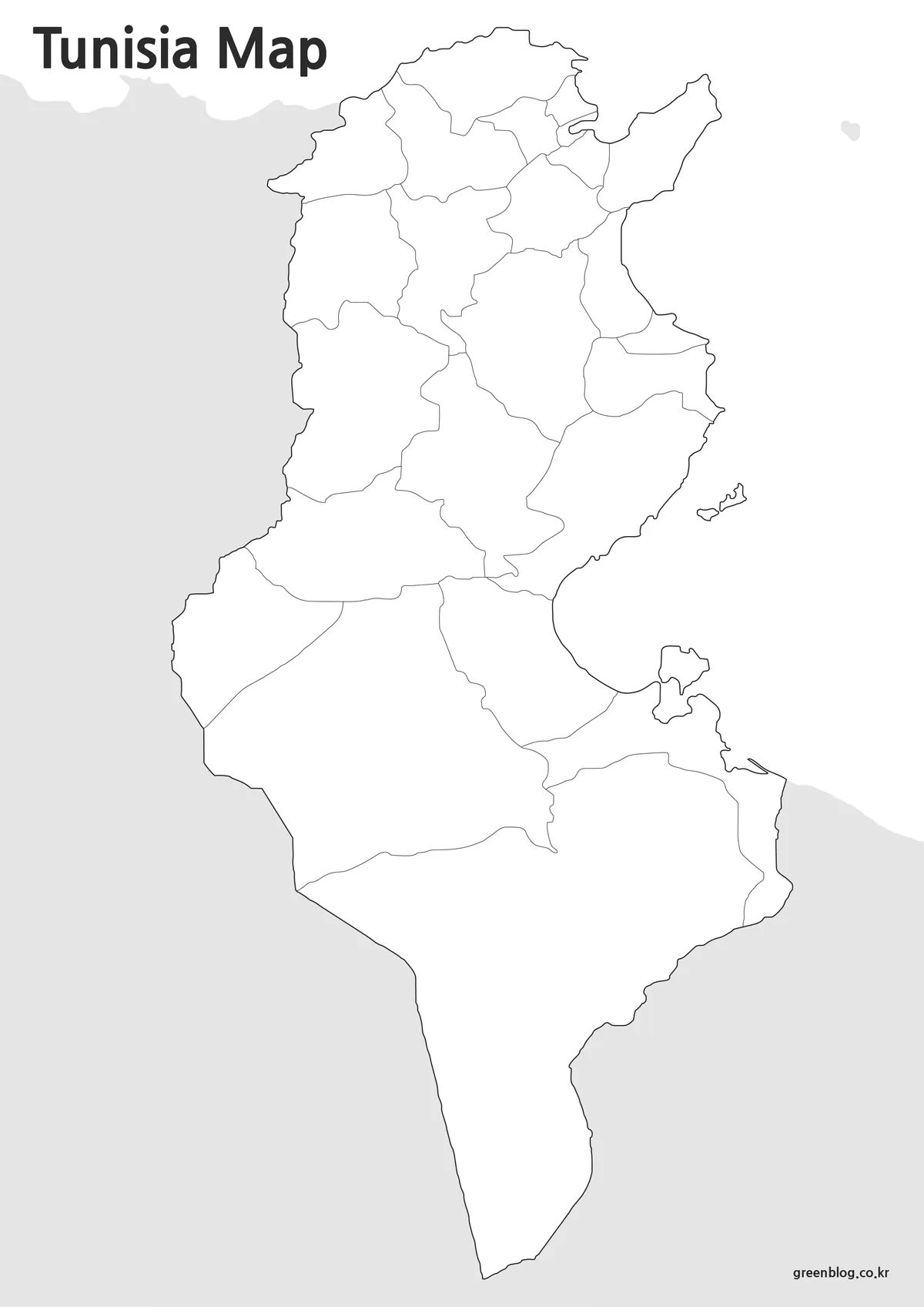
The outline Tunisia map removes governorate names, leader lines, neighboring-country labels, the Mediterranean label, and all pastel or blue fills. It retains the complete internal boundary network, national outline, island shapes, large title, gray surrounding land, and site mark. It is blank for study purposes rather than a bare country silhouette.
Learners can label the compact northern governorates first, rebuild the east-coast sequence, and finish with the five broad southern areas. Designers may add verified cities, routes, values, or regional groupings with their own legend. Because the supplied preview is a WebP raster image, it should not be described as a vector, GIS, or editable source file.
Designed for Printing and Presentation Use
Each Tunisia map was arranged for high-resolution A3 use in a 1200 × 1697 portrait ratio. Preserving that proportion prevents the narrow northern coast and long southern extension from appearing stretched. A test print should be judged by Ariana, Tunis, Ben Arous, Monastir, and the small island outlines rather than by the much larger Tataouine label.
Choose color when adjacent governorates need immediate visual separation on a screen. Select monochrome when labels belong in a low-color report or answer key. Use the outline when the reader should supply names or when a project needs sourced categories, but add a caption explaining any new symbols or colors.
The collection does not establish JPG, PDF, SVG, or design-source availability even though the downloaded archive groups image files. The directly supplied previews are WebP images. Describing the package as image files in a ZIP archive avoids promising a format or editing capability that has not been verified.
Practical Uses for a Tunisia map
For a geography lesson, show the labeled color map, distribute the outline, and keep the monochrome version as an answer key. Students can locate the Algeria and Libya borders, identify the Mediterranean-facing governorates, compare the tight northern cluster with the broad south, and note that offshore islands are drawn but not named.
For presentations, the map can support an administrative overview without adding unrelated physical detail. A custom project might mark Tunis city, transport routes, climate zones, or verified statistics, but those should be identified as new overlays. The original artwork supplies governorate boundaries and labels only.
When cropping for a slide, retain enough sea to show the eastern coastline and enough gray margin to keep Algeria and Libya legible. Do not cut off the Tunis and Ariana leader lines near the top. Those external text elements are part of the labeled map’s solution to limited space.
Frequently Asked Questions
Can I print the map in large formats?
Yes. The maps were prepared with high-resolution printing in mind and remain readable at larger sizes.
Which version is best for editing?
The outline map is the best choice for graphic editing, custom labeling, and infographic creation.
Does the map include regional boundaries?
Yes. Both the color and black and white versions include administrative boundaries.
Is the map useful for classroom projects?
Yes. The collection was designed for educational use, presentations, worksheets, and visual reference materials.
Does the Tunisia map mark Tunis with a capital symbol? No. “Tunis” is shown with a leader line as the governorate label, but the artwork contains no star, dot, or other city marker.
Map File Information
The archive contains the three Tunisian governorate views displayed above for printing, reference, labeling, and custom graphics.
- Included Versions: Color labeled, black-and-white labeled, and blank outline maps
- Printable Size: A3 high resolution
- File Type: Image files in a ZIP archive
- Intended Use: Lessons, answer keys, reports, slides, annotations, and design projects
Related Maps
Additional Resources
The Tunisian National Tourist Office’s Discover Tunisia portal provides official regional, cultural, transport, and trip-planning information.
Green Map creates custom-edited map images using open geographic data sources such as geoBoundaries, Natural Earth, OpenStreetMap, and government open data. These maps are edited visual materials, not raw data files, and are provided for education, documents, presentations, and graphic reference.