A Lithuania Map becomes much more informative when it shows the country’s short Baltic coast, ten county-level areas, and four land neighbors in one frame. Lithuania sits below Latvia, beside Belarus, above Poland, and east of Russia’s Kaliningrad region. The supplied color, black-and-white, and blank-outline views keep those relationships visible without adding roads, terrain, or dense city labels.
The two labeled versions identify Alytus, Kaunas, Klaipeda, Marijampole, Panevezys, Siauliai, Taurage, Telsiai, Utena, and Vilnius. These are the map’s ten county names, not ten city markers. Vilnius is Lithuania’s capital, but the artwork does not use a star, dot, or separate symbol to locate the city within the larger Vilnius County shape.
All three supplied WebP previews measure 1,200 × 848 pixels and share the same country outline and county geometry. The downloadable package is described as an A3 high-resolution collection containing the three image versions. The color view suits fast regional comparison, monochrome keeps labels visible for restrained printing, and the outline creates an unlabeled base for exercises and sourced overlays.
This Lithuania Map should be read at the county level. Lithuania’s official statistical portal currently lists ten counties and 60 municipalities, but the 60 municipal boundaries are not drawn here. The images also omit population values, roads, rivers, elevation, scale, coordinates, and a legend, so they are administrative reference graphics rather than navigation or data-analysis maps.
Table of Contents
Lithuania Map Overview
Lithuania is the southernmost of the three Baltic states. Latvia spans the northern edge of the composition, while Belarus follows the long eastern and southeastern border. Poland meets Lithuania in the southwest, and the area labeled “Russia” represents the Kaliningrad side of the border rather than Russia’s main contiguous territory.
The western edge is different from the other sides because it reaches the Baltic Sea. Klaipeda County contains the country’s maritime frontage, and the map preserves a long, narrow coastal strip beside the blue water area. That feature corresponds to Lithuania’s portion of the Curonian Spit, although the artwork does not label the spit, lagoon, port, or any coastal settlement.
County shapes create a useful directional framework. Klaipeda occupies the west; Telsiai and Siauliai extend across the northwest and north; Panevezys fills much of the north-central and northeastern area; and Utena lies farther east. Taurage sits west of central Kaunas, while Marijampole and Alytus form the southwest and south. Vilnius County covers the southeast.
The labeled Lithuania Map uses simplified Latin-letter spellings without Lithuanian diacritics. Standard official English tables show Klaipėda, Panevėžys, Šiauliai, Tauragė, Telšiai, and Marijampolė. Readers copying names into reports should use the official forms, while recognizing that the undiacritized labels in the artwork refer to the same counties.
The county layer is a valid territorial overview, but it should not be mistaken for a map of elected local governments alone. Municipalities are the lower administrative units with local self-government, and each county groups several of them. A project requiring municipal boundaries, wards, or individual settlements needs a more detailed source.
Included Map Files
The package contains three matching map treatments: a pastel color map with labels, a labeled black-and-white map, and a blank outline. All retain Lithuania’s outer border and the ten county divisions. The first two also show Latvia, Belarus, Poland, Russia, and the Baltic Sea label; the outline removes those words along with the county names.
Using the same geometry across all three versions supports a simple learning sequence. Readers can study the color view, verify spellings and positions on the monochrome reference, and then reconstruct the arrangement on the outline. The downloadable A3 files are the appropriate source for print work, while the page previews offer a quick screen reference.
Color Lithuania Map
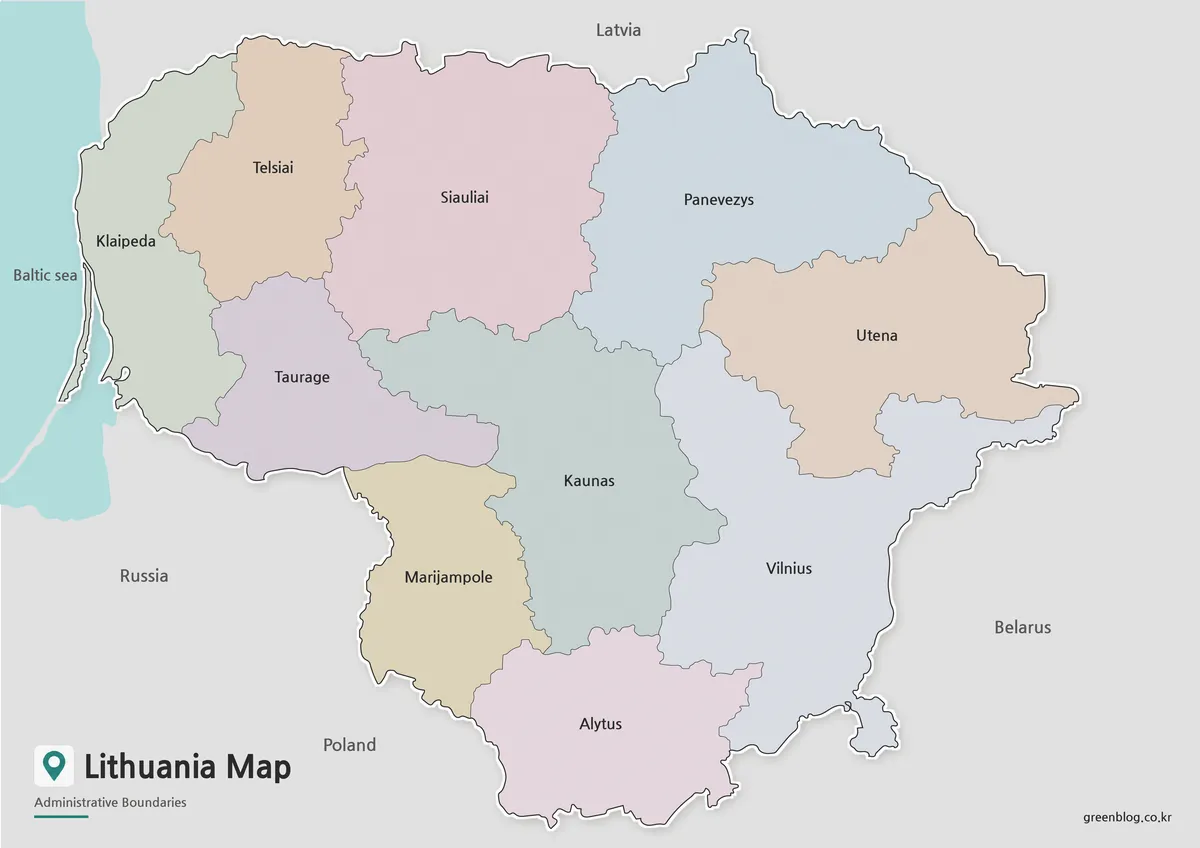
Muted fills give adjacent counties enough contrast to separate their boundaries quickly. The treatment is particularly helpful where Kaunas meets six surrounding counties and where the eastern outlines of Panevezys, Utena, and Vilnius form an irregular sequence. Color also makes the small western coastal area easier to distinguish from the gray exterior and blue sea.
The palette carries no numeric meaning. It does not show population, voting, language, economic regions, or land cover, and no legend assigns a category to any hue. For a presentation, use this version as a county-location reference; if new statistics are added, provide a separate legend and avoid implying that the original pastel scheme represents the data.
Because the neighboring countries remain labeled, the color version can introduce Lithuania’s Baltic position before a closer county discussion. It also clarifies that the Russia label lies west of Marijampole and southwest of Klaipeda rather than on the eastern side of the map. The composition does not identify the Kaliningrad name, so captions should supply that context when it matters.
Black and White Printable Version
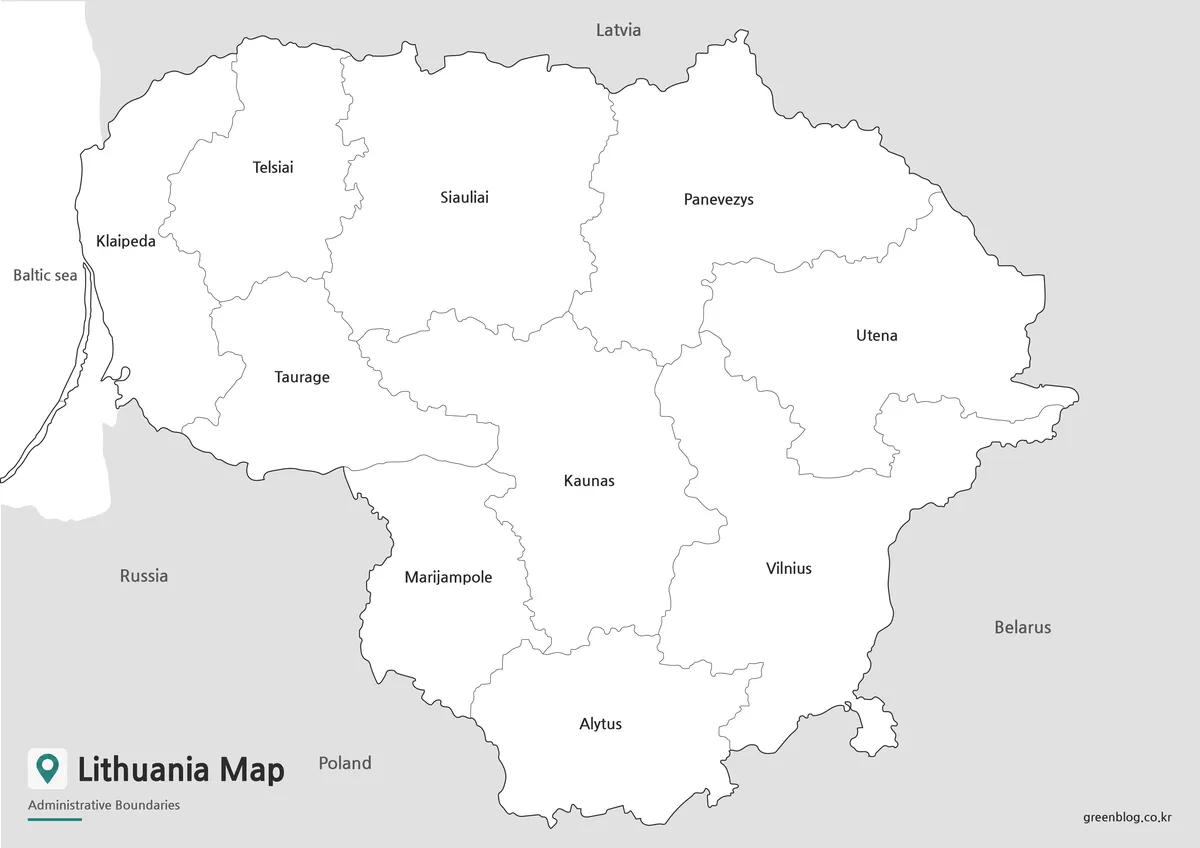
The black-and-white Lithuania Map preserves the county names and external geographic labels while removing pastel fills and blue water. Boundary lines become the main organizing feature. This restrained design fits reports, guided worksheets, and presentation handouts where a color image would compete with surrounding charts or text.
Monochrome does not make the page blank: all ten county answers remain visible. Students can identify which counties touch Latvia, compare the large eastern forms of Utena and Vilnius, or find the central position of Kaunas. The outline version is better for unaided recall because it removes both internal and external labels.
Before printing, inspect the relatively small labels for Klaipeda, Telsiai, and Taurage at the intended size. Preserve the wide landscape ratio and the western margin if Baltic Sea context is required. A tight crop may remove the sea label, the narrow coastal strip, or neighboring-country names that explain the national position.
Blank Lithuania Outline Map for Editing
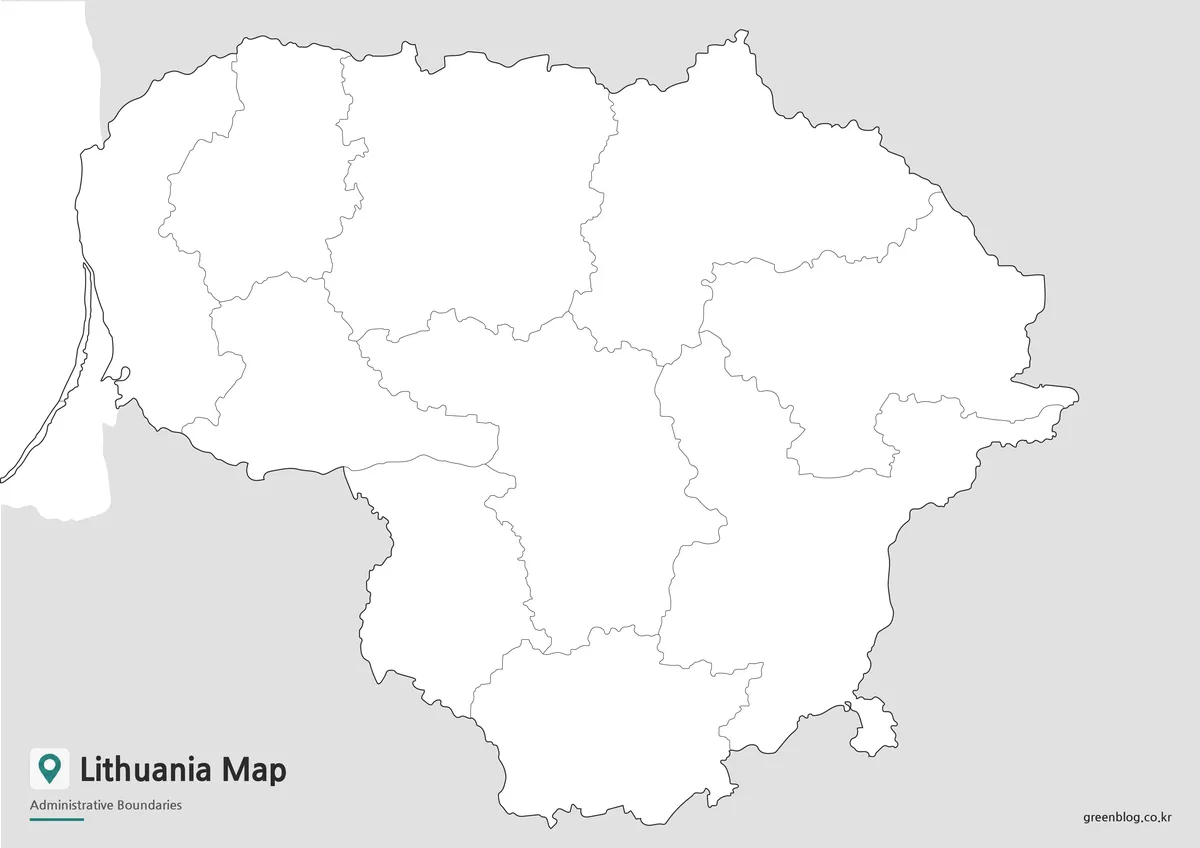
The outline Lithuania Map removes every place name, neighboring-country label, and color fill but keeps the outer silhouette and ten internal county boundaries. It is well suited to a labeling exercise in which learners add the county names, place the four neighbors, or identify the Baltic side before consulting the labeled reference.
Designers may also add city points, travel routes, municipal statistics, or thematic categories from an authoritative source. Each added layer needs a legend or citation because the base contains no data. The supplied preview is a raster image, so “outline” describes its visible design rather than an SVG, layered vector, or editable boundary dataset.
Lithuania-specific tasks can use the geometry rather than generic coloring prompts. Learners might identify the only coastal county, distinguish the two southern counties of Alytus and Marijampole, trace the northern sequence below Latvia, or locate the southeastern county sharing the capital’s name. These activities use features actually present in the map.
Built for Printing and Visual Projects
The layout uses a landscape frame that leaves room for Latvia above, Belarus to the east, Poland and Russia below and west, and the Baltic Sea along the coast. That context is valuable in a country-introduction slide. For a county-only worksheet, the page can be cropped more closely as long as the national outline and narrow western landforms remain intact.
Use the downloadable A3 version for large-format placement, then check thin internal boundaries and smaller labels in a test print. Avoid disproportionate resizing, which can distort the broad east–west country shape. On screen, keep sufficient resolution for the detailed coastal edge and the irregular junctions around Kaunas, Siauliai, Panevezys, and Utena.
Practical Uses
Choose color for rapid county comparison, black and white for a labeled print reference, and outline when readers should supply the information. A Lithuania Map can support a three-stage lesson: recognize counties by color, review their positions and spellings in monochrome, and complete an unlabeled version from memory.
For Baltic-region presentations, retain the neighbor labels so audiences can distinguish Lithuania from Latvia and understand the short Polish connection and Kaliningrad border. For a county comparison graphic, use the full ten-area structure before highlighting one location. Any city, road, water, population, or municipality information must come from a separate verified source.
The maps are not designed for route planning or precise measurement. They lack streets, coordinates, scale, named settlements, and internal municipal divisions. Their strongest role is to provide a consistent county-level frame that can be read as supplied or carefully extended for education, reports, slides, and infographic work.
Frequently Asked Questions
Can I print this Lithuania Map in A3 size?
Yes. The maps were prepared for A3 high-resolution printing, so they are suitable for classroom materials, reports, and presentation handouts.
Which version is best for printing?
The black and white version is the easiest to print because it keeps the layout clean and reduces unnecessary color use.
Does the map show neighboring countries?
Yes. The labeled version includes nearby countries such as Latvia, Belarus, Poland, and Russia, helping users understand Lithuania’s regional position.
Is the Baltic Sea coastline included?
Yes. The coastline is included so Lithuania’s connection to the Baltic Sea can be seen clearly.
Which Lithuania Map should I use for editing?
The blank outline map is the best option for editing. It works well for adding colors, labels, icons, data, or presentation notes.
Download Information
The protected archive contains the matching color, labeled black-and-white, and blank-outline maps. Select the version according to whether the project needs immediate county separation, a monochrome answer reference, or an unlabeled base for annotation.
Map File Information
The package provides three county-boundary views for A3 printing, reference, labeling activities, and custom visual projects.
- Included Versions: Color map · Black and white map · Outline map
- Printable Size: A3 layout
- File Type: Image files in a ZIP archive
- Intended Use: Lessons · reports · presentations · annotations
Related Maps
Additional Resources
- Official Statistics Portal: Administrative Division — The State Data Agency explains Lithuania’s ten counties, 60 municipalities, and official county spellings.
Green Map creates custom-edited map images using open geographic data sources such as geoBoundaries, Natural Earth, OpenStreetMap, and government open data. These maps are edited visual materials, not raw data files, and are provided for education, documents, presentations, and graphic reference.