An India Map must fit several very different spatial patterns into one readable frame: the broad north, the tapering southern peninsula, the northeastern states reached through a narrow corridor, and the Andaman and Nicobar island chain in the Bay of Bengal. The three supplied graphics use one shared boundary layout, allowing readers to move between a labeled color reference, a labeled black-and-white sheet, and an unlabeled outline without relearning the position of each region.
The set is designed for broad regional orientation, print activities, presentations, annotations, and simple visual projects. It does not contain roads, railways, rivers, elevation, districts, population data, coordinates, or a scale bar. It is also not a current administrative chart: Telangana is present, while Jammu and Kashmir remains undivided and Ladakh is not drawn separately. Those clues place the represented arrangement between June 2, 2014, and October 31, 2019.
The color and monochrome previews both measure 1200×886 pixels. The outline measures 1200×849 pixels and uses a slightly different canvas height while retaining the same principal internal geometry. All three show the Andaman and Nicobar Islands to the southeast, but Lakshadweep is absent. These visible limits should be stated whenever the files are used in lessons, reports, or graphics that might otherwise be mistaken for complete present-day coverage.
India Map: Scope and Date Context
India currently has a different northern administrative arrangement from the one represented here. The Jammu and Kashmir Reorganisation Act created the separate Union Territories of Jammu and Kashmir and Ladakh on October 31, 2019. Because the supplied boundary remains a single northern area labeled “Jammu&Kashmir,” adding the word Ladakh alone would not make the image current; the underlying boundary would also need to change.
Several smaller Union Territories also reveal the collection’s selective scope. Chandigarh, Puducherry, and the Andaman and Nicobar Islands are labeled, and New Delhi receives a prominent red box and star. Lakshadweep and the small western Union Territories are not shown as labeled units. The maps are therefore useful legacy references, but not a complete list of every state and Union Territory.
Table of Contents
Why This Map Was Compiled
The country’s proportions create a difficult landscape composition. Jammu and Kashmir rises above the northern belt, Gujarat projects toward the Arabian Sea, and the peninsula narrows through Karnataka, Kerala, Andhra Pradesh, and Tamil Nadu. Farther east, West Bengal leads toward Sikkim and the northeastern cluster. A well-spaced India Map can show these relationships immediately, while a written list cannot communicate distance, direction, or adjacency as clearly.
The northeastern states demand the closest label control. Sikkim is compact, and Assam stretches through the center of a group that also includes Arunachal Pradesh, Nagaland, Manipur, Mizoram, Tripura, and Meghalaya. Narrow boundaries and short leader lines compete for limited space. The labeled versions keep the names small so the shapes remain visible, while the outline removes that competition for exercises or custom keys.
Understanding India’s Regional Layout
The peninsula separates the Arabian Sea on the west from the Bay of Bengal on the east, with the Indian Ocean labeled below the southern tip. Rajasthan and Gujarat dominate much of the west, while Uttar Pradesh and Bihar extend across the north-central and eastern interior. Madhya Pradesh sits near the center, Maharashtra reaches the western coast, and Odisha and West Bengal face the Bay of Bengal.
The southern sequence is easier to understand on an India Map than through names alone. Goa occupies a very small part of the west coast; Karnataka extends inland and southward; Kerala follows the narrow southwestern coast; Tamil Nadu forms much of the southeastern end; and the mapped Andhra Pradesh area runs along the eastern side above Tamil Nadu. Telangana appears inland, confirming that the source is no earlier than its formation in 2014.
The Andaman and Nicobar Islands are placed to the lower right as a separated north–south chain. Their inclusion prevents the national picture from becoming a mainland-only graphic, but the page should not be used to measure island distances or plan travel. Lakshadweep, located in the Arabian Sea, is not represented. That absence matters for any activity asking learners to identify India’s major island territories.
How the Map Is Structured
All three versions share the same central logic: a strong national silhouette, thinner internal divisions, and room for the offshore island chain. The labeled sheets add state and selected territory names, a New Delhi marker, and three large water labels. Neighboring countries are not named, and disputed or sensitive international boundaries are simplified within the artwork. The resource should not be treated as a legal, diplomatic, or survey map.
The source text on the India Map includes several compressed spellings. “Jammu&Kashmir” omits spaces around the ampersand, and “Andhrapradesh” combines the standard two-word name Andhra Pradesh. The artwork must remain protected, so the rewrite does not alter those labels. When exact naming is part of an assignment, provide a verified answer list beside the image rather than copying every printed form.
Map Variations Included in This Set
Each India Map version answers a different reader question. Color provides the fastest geographic orientation, black and white keeps labels while giving annotations more visual weight, and the outline asks the reader to supply names or categories. The shared legacy geometry makes the files suitable for a reference-to-activity sequence, provided the 2014–2019 date context remains visible.
1️⃣ Color-Based Regional Map
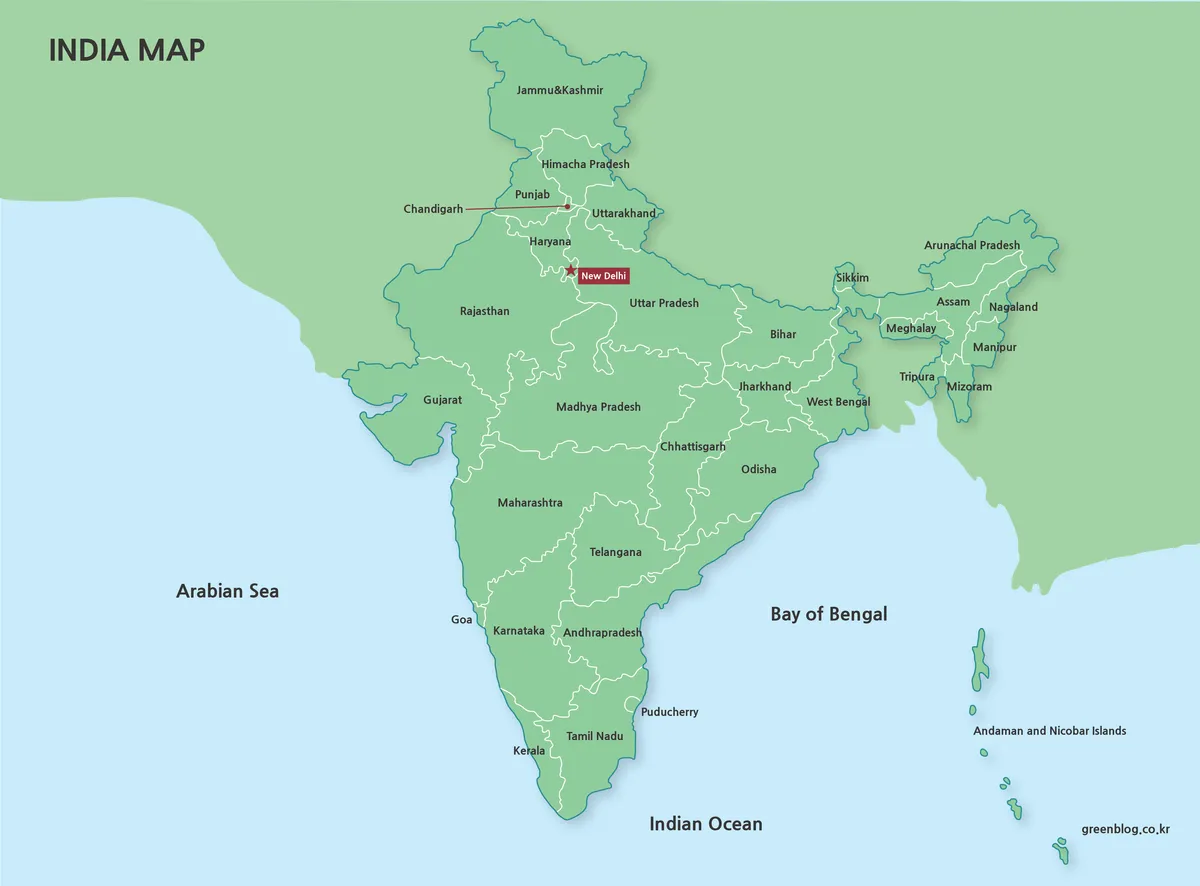
The color India Map uses green land, pale blue water, white internal lines, and a red capital marker. India and the surrounding land share a similar green field, so coastlines and boundary strokes carry much of the separation. State names sit directly inside larger areas, while leader lines help with compact places. The green fill is decorative and does not encode climate, elevation, vegetation, or statistical values.
2️⃣ Black-and-White Boundary Map
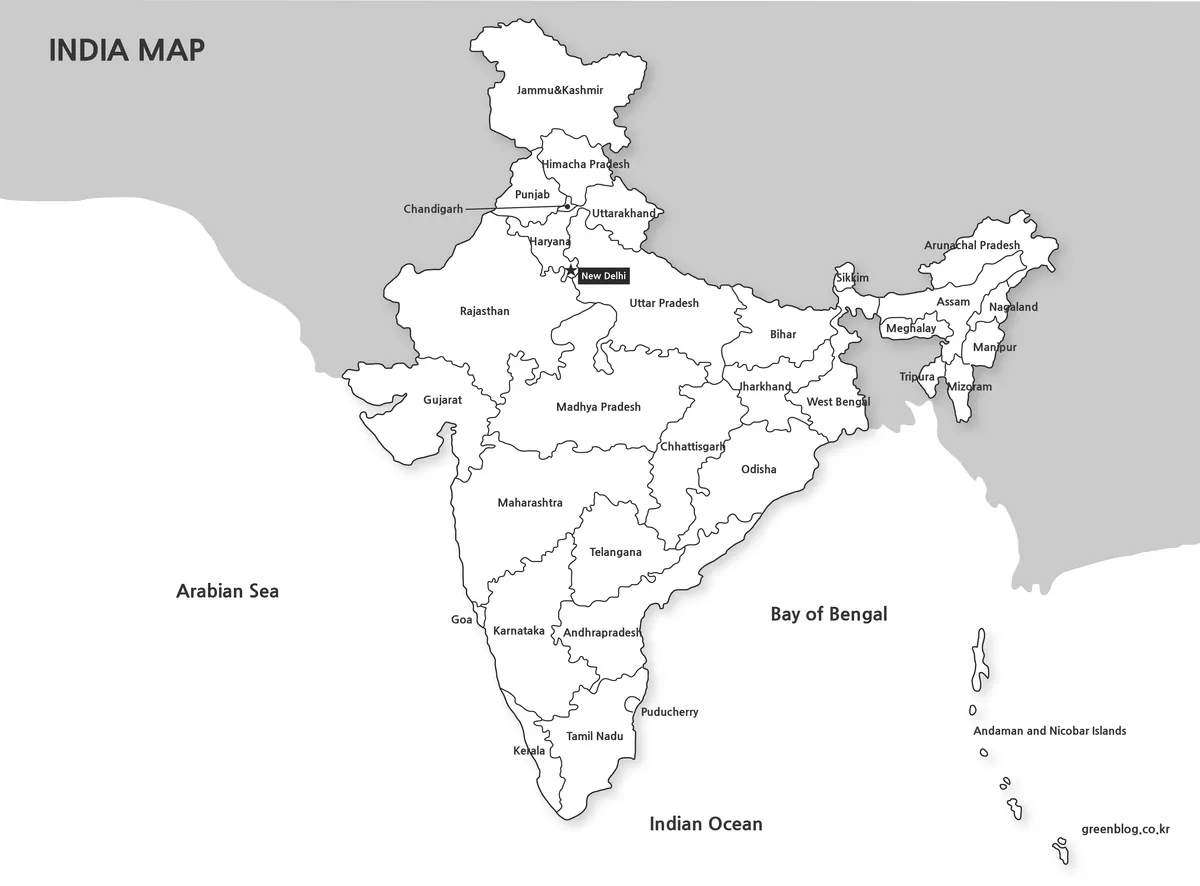
The black-and-white India Map preserves the region names, New Delhi marker, water labels, and island chain while replacing the color fields with white and gray. India stands out against the gray surrounding land, and dark internal lines reproduce clearly on ordinary printers. The open background also gives handwritten arrows, highlights, and numbered notes more contrast than the color sheet.
This is still a labeled reference, not a blank quiz. Use it for guided notes, report figures, answer keys, or comparisons where another graphic already supplies color. Print a proof before making a class set because text around Delhi, Goa, Puducherry, Sikkim, and the northeastern states can lose clarity after heavy reduction.
3️⃣ Outline-Only Map for Editing
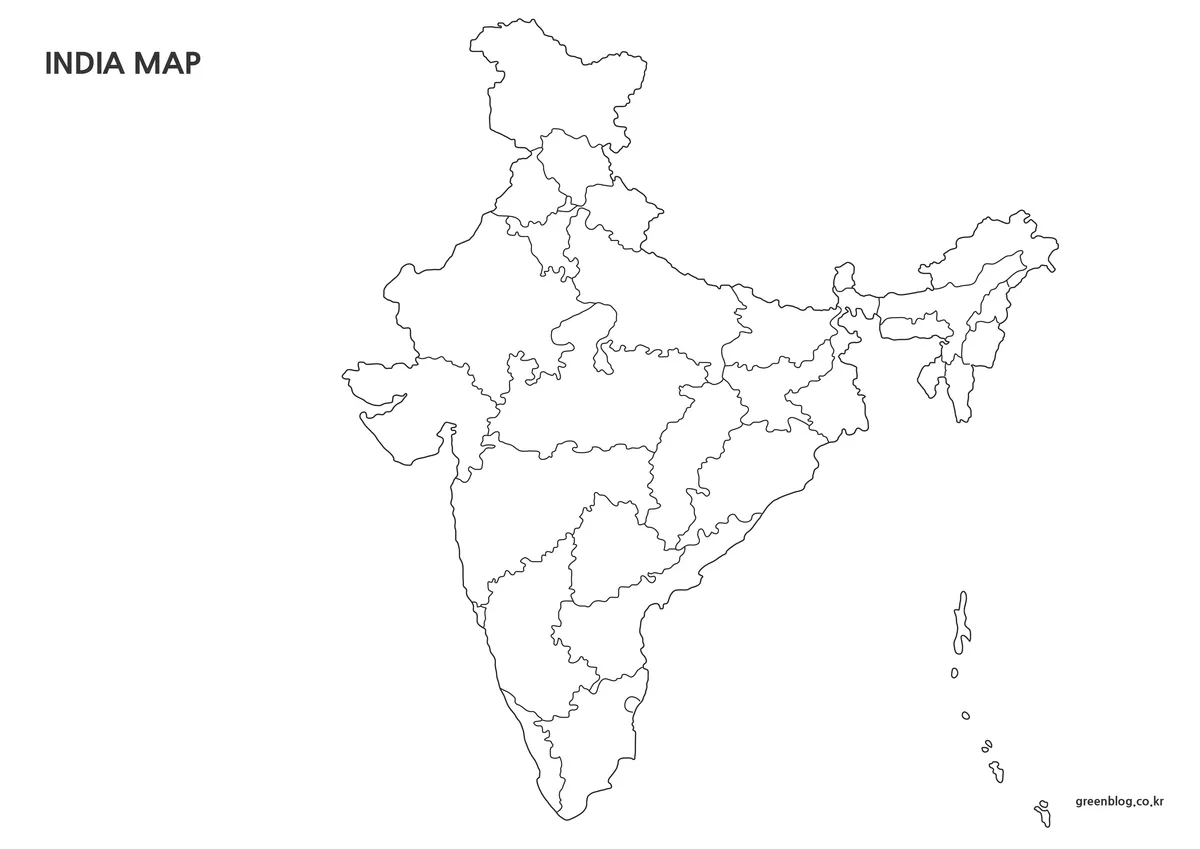
The outline India Map removes state names, the New Delhi marker, water labels, and the neighboring land field. It retains the national shape, legacy internal boundaries, and the Andaman and Nicobar chain. Larger blank areas support regional coloring, state-labeling practice, route sketches, numbered keys, or an original thematic layer without competing against existing text.
Pair this file with a labeled sheet when accuracy matters. A classroom exercise can ask learners to identify Telangana, trace the west and east coasts, distinguish the southern states, or find the northeastern cluster. If the task concerns the current Union Territories, replace the source with a current boundary map rather than writing Ladakh over the undivided northern shape.
For custom statistics, use fills that remain distinguishable in grayscale and do not cover narrow borders. Explain the legacy date in the legend or caption. The outline has no scale, coordinates, terrain, or district detail, so it is unsuitable for cadastral decisions, boundary disputes, infrastructure planning, or precise spatial analysis.
Practical Contexts for Using the Map
For teaching, display the color India Map while explaining the peninsula, northeastern connection, and island chain, then distribute the outline for recall. The monochrome version can serve as an answer sheet or a base for guided notes. A short date statement should accompany all three so students understand why Ladakh is not shown separately.
For presentations and reports, choose one version according to the information hierarchy. Use color when geographic orientation is the main goal, monochrome when annotations or charts must dominate, and outline when the audience needs a custom category system. Do not stack all three merely to fill space; each should perform a distinct explanatory job.
- Legacy comparison: explain the arrangement used from 2014 until the 2019 northern reorganization.
- Regional study: compare the peninsula, central states, northern belt, northeast, and offshore islands.
- Print activity: use monochrome for notes and outline for independent labeling.
- Design: add a dated legend, source, and clear categories to a duplicate of the outline.
Frequently Asked Questions
The preserved FAQ covers editing, printing, design, and publication uses. Before applying those answers, remember that this India Map collection shows legacy boundaries and should be paired with a current official reference whenever present-day administration matters.
Can I edit the map files for my own work?
Yes. You can resize the maps, change colors, replace text, or add your own notes for personal projects, study materials, or internal documents. Please avoid re-sharing the edited files as standalone map downloads.
Will the maps still look clear when printed?
The maps were created at a large size and prepared with print use in mind. Lines and labels stay readable when printed, and the black-and-white version works well on standard monochrome printers.
Are these maps suitable for graphic design work?
The outline-only map is especially useful for design tasks. Since it contains only boundary lines, it works well as a base image in tools like Photoshop or Photoscape when creating custom visuals.
Can I use these maps in blog posts or presentations?
They can be used in blog articles, presentations, study notes, and similar informational content. Just make sure the maps are used as supporting visuals rather than redistributed as downloadable map packs.
Download Information
The protected ZIP provides the three map styles shown on this page. Download the archive once, preserve the originals, and edit copies for labels, notes, or custom colors. Treat every version as a legacy 2014–2019 regional resource rather than a current legal boundary reference.
Map File Information
This archive contains three coordinated legacy boundary maps for reference, printing, and custom activities.
- Included Versions: Labeled color, labeled black-and-white, and unlabeled outline
- Intended Use: Legacy reference, worksheets, presentations, notes, and design
Related Maps
Additional Resources
The Government of India’s Jammu, Kashmir, and Ladakh overview explains the separate Union Territories created by the 2019 reorganization.
Green Map creates custom-edited map images using open geographic data sources such as geoBoundaries, Natural Earth, OpenStreetMap, and government open data. These maps are edited visual materials, not raw data files, and are provided for education, documents, presentations, and graphic reference.