A Nagasaki Prefecture Map is useful when you need more than a simple outline of western Japan. Nagasaki is located in the northwestern part of Kyushu, but its geography is not limited to the mainland area. The prefecture includes many island regions such as the Goto Islands, Hirado, Tsushima, and Iki, which makes the overall layout more complex than many other Japanese prefectures.
Because of this island-based structure, a clear administrative map can be especially helpful for students, teachers, travel bloggers, presentation creators, and designers. When preparing a classroom handout, a regional comparison chart, a travel route image, or a printable study resource, it is much easier to understand Nagasaki when the mainland and island areas are shown together in one organized layout.
This printable Nagasaki Prefecture Map collection includes three versions: a color administrative map, a black and white labeled map, and a blank outline map. The files are prepared in high resolution for A3 printing and are suitable for presentations, educational worksheets, blog graphics, infographic layouts, and editable design projects. JPG, PNG, and ZIP formats are included so users can choose the version that works best for their project.
Nagasaki Prefecture borders Saga Prefecture on the mainland side and faces the East China Sea to the west. It is also geographically close to South Korea across the sea, which is one reason the region has long been associated with international exchange. Major cities include Nagasaki City, Sasebo, Isahaya, Omura, and Shimabara. Although the prefecture is moderate in size, with an area of about 4,132 square kilometers and a population of around 1.25 million, its many islands create a regional structure that is easier to understand visually than through text alone.
Table of Contents
Nagasaki Prefecture Map Overview
This map collection was created to make the administrative structure of Nagasaki easier to read, compare, print, and edit. The island layout was an important part of the design process, because small island labels can easily overlap when the map is reduced or inserted into a document.
Extra attention was given to label placement around the Goto Islands, Tsushima, Iki, and the coastal areas near the mainland. The map layout was reviewed at larger print sizes so that boundaries and place names remain readable when used for A3 printing, classroom handouts, or presentation slides.
Included Map Versions
The Nagasaki Prefecture Map collection includes three practical versions.
- Color map for quick visual comparison
- Black and white map for printing and document use
- Outline map for editing, coloring, and infographic work
Each version serves a different purpose. The color version works well when you want to compare areas visually. The black and white version is better for printing, note-taking, and school materials. The outline version is designed for users who want to add their own colors, labels, routes, statistics, or visual information.
Color Administrative Map
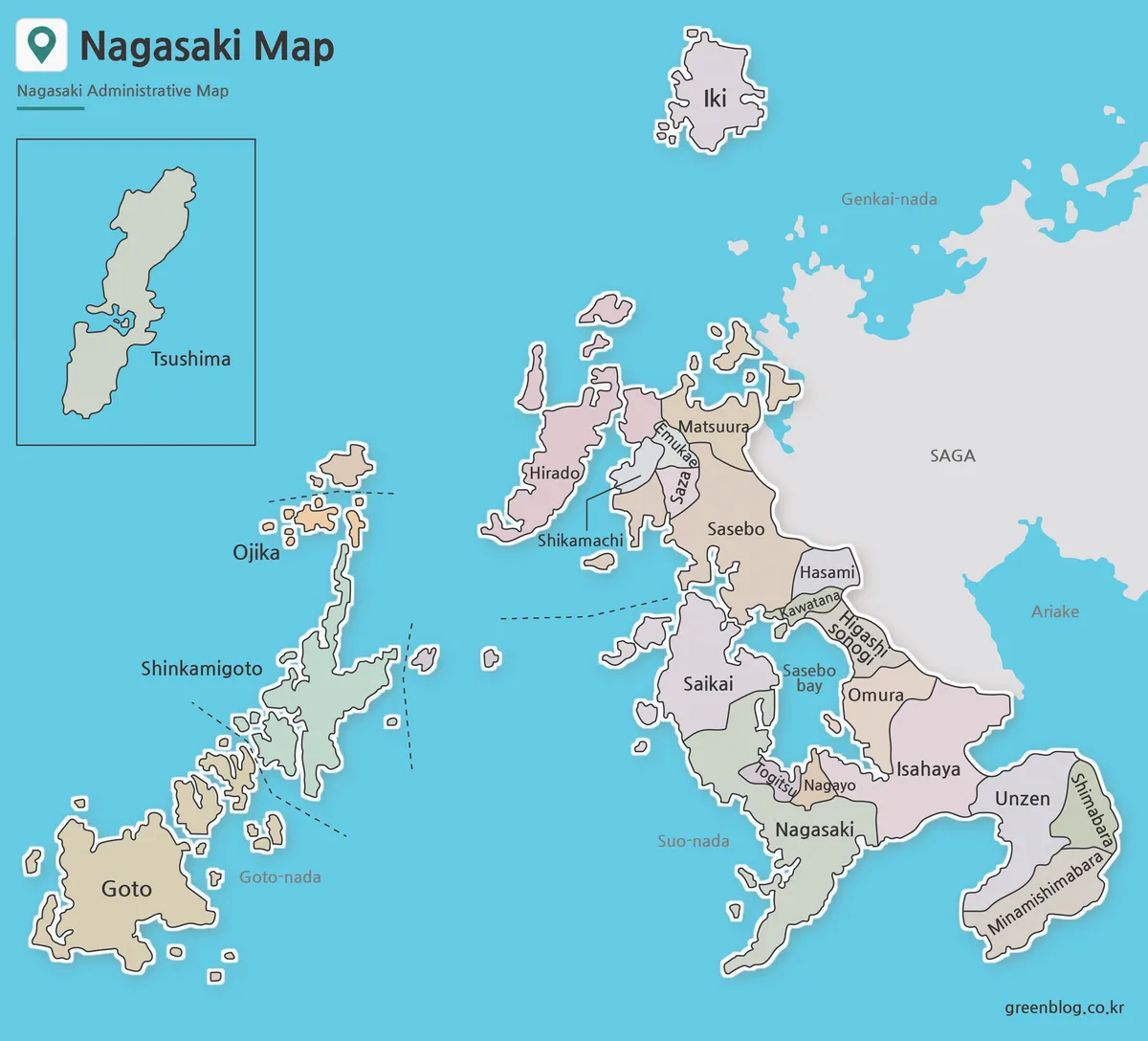
The color version is designed to make the cities and towns of Nagasaki Prefecture easier to distinguish at a glance. Since Nagasaki includes both mainland and island regions, color separation helps users compare areas without relying only on labels.
This version is useful for presentation slides, regional explanation images, travel blog posts, and educational materials. The island regions were arranged to keep the full prefecture visually balanced while still making key areas such as Tsushima, Iki, Hirado, the Goto Islands, and the Shimabara Peninsula easy to recognize.
During the map preparation process, nearby colors were adjusted so adjacent areas would not blend together too strongly. This makes the map easier to read when shown on a screen or printed as a larger reference image.
Black and White Printable Map
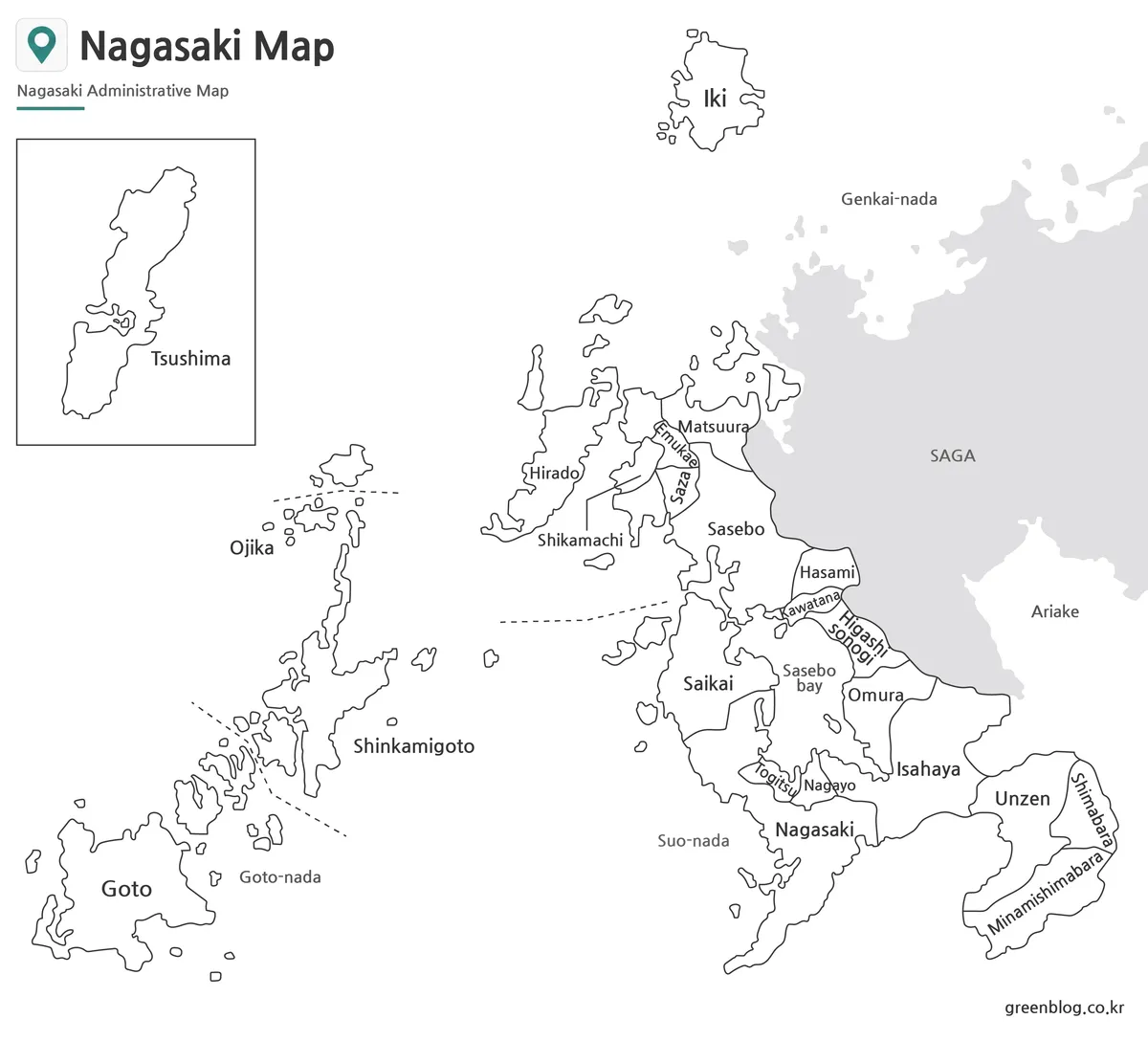
The black and white version removes the color fills and keeps the focus on labels and boundary lines. This makes it suitable for classroom printing, worksheets, reports, and simple reference documents.
For users who want to print the map and write notes directly on it, this version is usually the most practical choice. It also works well in documents where a colorful map might look too heavy or distracting.
Since Nagasaki has many small islands, label readability was an important part of this version. The line thickness and text placement were reviewed so the map remains clear when printed in A3 size or inserted into a presentation document.
Blank Outline Map for Editing
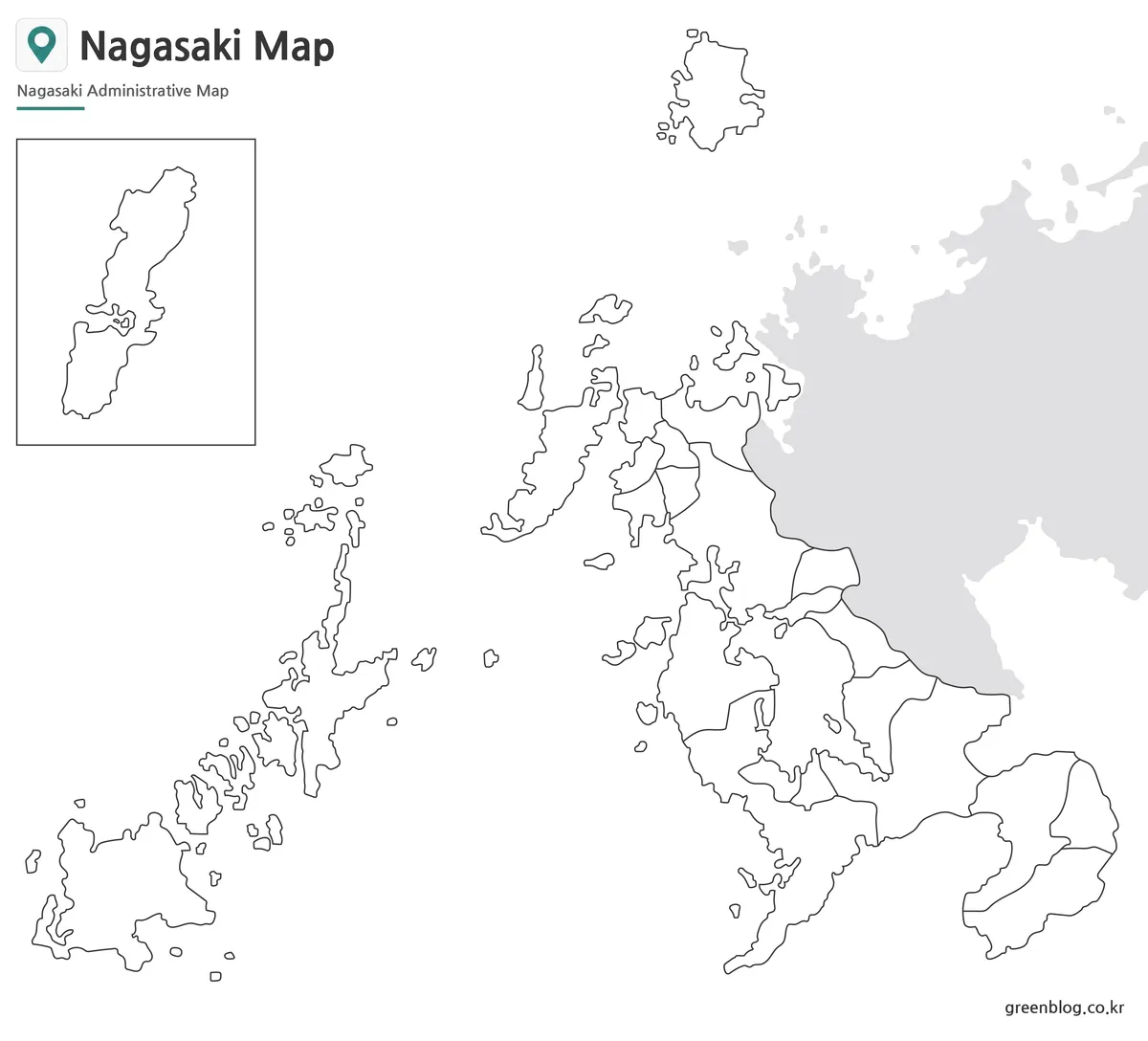
The outline version keeps only the administrative boundary lines and removes both color and labels. This makes it the most flexible version for graphic editing and custom map projects.
Designers can use it as a base map for infographics, while teachers may use it for coloring activities, geography worksheets, or regional comparison tasks. It is also useful for marking travel routes, port locations, population data, tourism areas, or transportation information.
The clean boundary structure makes the outline map easy to work with in image editing software. Users can add colors, icons, text, arrows, or custom labels without having to remove unnecessary map elements first.
Practical Uses for This Map Collection
A Nagasaki Prefecture Map can be used in many different types of visual projects. It works well for geography lessons, Japanese regional studies, travel planning, blog content, presentation slides, printable handouts, and infographic design.
The map is also useful when explaining why Nagasaki’s regional structure is different from many other prefectures. Mainland cities, coastal areas, peninsulas, and remote islands are all part of the same prefecture, so a visual reference helps users understand the overall layout more quickly.
For travel content, the map can help show the relationship between Nagasaki City, Sasebo, Shimabara, Goto, Iki, and Tsushima. For educational content, it can support lessons about Kyushu, island geography, administrative divisions, and regional comparison.
Frequently Asked Questions
What is included in the Nagasaki Prefecture Map collection?
The collection includes color, black and white, and outline versions of the Nagasaki Prefecture Map. These versions are prepared for printing, presentation use, classroom materials, and graphic editing.
Can I print the map in A3 size?
Yes. The files are prepared as high-resolution A3 map images, making them suitable for larger print layouts and classroom handouts.
Which version is best for black and white printing?
The black and white map is the best choice for printing. It uses labels and boundary lines without color fills, so it remains clear on standard printers.
Is the outline map editable?
Yes. The outline version is designed for editing, coloring, annotation, and infographic projects.
Why does the Nagasaki Prefecture Map include many islands?
Nagasaki Prefecture includes major island areas such as the Goto Islands, Tsushima, Iki, and Hirado. Including these areas helps show the real administrative structure of the prefecture.
Map File Information
Choose the map version that fits your project. The collection includes color, black and white, and outline versions prepared for printing, classroom use, presentations, and graphic editing.
- Printable Size: A3 high resolution
- File Type: JPG / PNG / ZIP
- Intended Use: Printing · Reference · Editing
Additional Resources
- GSI Japan Map Service – The Geospatial Information Authority of Japan provides official map services that can be useful when checking geographic features, place names, and regional map references in Japan.
Related Maps
- Japan Fukushima Prefecture Map | Free Printable Administrative Maps
- Gifu Prefecture Map Collection for Printing, Study, and Editing
- High-Resolution Aomori Prefecture Map Collection (A3 Printable)
- Nagano Prefecture Map | Printable Administrative Map Collection
Green Map creates custom-edited map images using open geographic data sources such as geoBoundaries, Natural Earth, OpenStreetMap, and government open data.
These maps are edited visual materials, not raw data files, and are provided for education, documents, presentations, and graphic reference.