Statistics Canada’s Keyword search page is best treated as a discovery tool for official statistical products, not as an interactive map viewer. It lets you search product metadata and narrow a large catalogue with filters. For map-oriented research, the useful workflow is to find the relevant official product here first, then open that result and verify its geography, reference period, description, and available format.
Use the page to locate the right official source; do not assume that every result is a map, GIS layer, or downloadable geographic file.
What the Statistics Canada keyword search actually does
The page provides a keyword field and a set of filters for refining results. The search interface is built around product metadata such as titles and descriptions, while the subject list helps narrow results by topic. The page also displays removable selected filters, so a search can be broadened again when it becomes too restrictive.
This is useful when you know the subject you need but not the exact table, publication, geographic reference product, or catalogue number. The subject list spans areas such as population and demography, transportation, energy, agriculture and food, government, health, labour, prices, science and technology, and many others. Those categories organize the search; they do not mean that every item inside a category is spatial or map-based.
A practical workflow for finding map and geography material
- Open the official Statistics Canada Keyword search page.
- Start with a short, specific topic term rather than a full question. For spatial research, useful concepts may include census, geography, boundary, population, environment, transportation, or another subject that matches the task.
- If the result set is broad, apply the most relevant Subject filter.
- Read result titles and descriptions before opening individual products. This helps separate data tables, analytical publications, reference documents, and geography-related products.
- Open the promising result and verify its geography, date or reference period, product description, and available format before using it.
- If the search becomes too narrow, remove a selected filter or simplify the keyword string and try again.
Build the search around the information you need
A good search usually has three parts in mind: the topic, the geographic scope, and the kind of product you hope to find. You do not need to type all three as a long sentence. Starting with one or two precise terms and then refining with the interface is often easier than over-specifying the first search.
Map-related information is not always labelled with the word “map.” A boundary product may be described with geography or boundary terminology, census material may be organized under population and demography, and environmental material may appear under environment-related topics. When a search for “map” is unhelpful, change the vocabulary to match the underlying subject rather than concluding that the source does not exist.
How subject filters help
The Subject filter is most useful as a way to reduce noise. It is not a switch for “maps only.” The same geographic question can belong to different subject families depending on what is being measured.
- Population and demography can help narrow searches about population, demographic structure, and census-related material.
- Transportation is relevant when the target material concerns transport statistics or mobility-related products.
- Energy narrows the catalogue toward electricity, fuels, and other energy statistics.
- Agriculture and food can be useful for agricultural and food-related statistical products.
- Government and other subject areas may be appropriate depending on the research question.
After applying a subject filter, still check the type and description of each result. A topic can contain tables, reference resources, methodological documents, and analytical products alongside any geography-related material.
Useful search behavior and an important limitation
Statistics Canada’s search-help pattern supports refining a query with keywords and filters rather than forcing every condition into one expression. Phrase searching can be useful when you need a specific multi-word term, while a broader query can help when terminology is uncertain. Selected filters can be cleared or removed as you refine the search.
The larger limitation is that this is a metadata-oriented product search. It is not the same as full-text searching every sentence inside every Statistics Canada article or publication. If your goal is to find a specific sentence or phrase buried in an article rather than a product whose metadata matches the topic, the main Statistics Canada site search may be the more appropriate tool.
Why this page is not an interactive map viewer
The presence of geography- or map-related products in a search catalogue does not turn the catalogue itself into a GIS application. There are no assumptions to make here about layers, parcel identification, boundary editing, or map downloads. Those capabilities, if available, belong to the individual product you open from the results.
That distinction matters for citation and reuse. Before relying on a result, verify the geographic level, reference period or release date, product description, and whether the item is a table, publication, geographic file, or another resource. Search relevance alone does not establish that a product is current or suitable for a specific map.
When the results are too broad or too narrow
- If there are too many results, apply a subject filter and keep only the most distinctive keywords.
- If there are too few results, remove a subject filter or drop an overly specific term.
- Try subject vocabulary such as geography, boundary, census, population, environment, or transportation instead of repeating map-related words only.
- Read descriptions, not just titles, because the title may not fully reveal the product’s geographic usefulness.
- For a phrase located inside the body of a publication, consider the general Statistics Canada site search rather than relying only on product metadata search.
What to verify before using a result in a map or comparison
For spatial work, the final check should happen on the individual official product page. Confirm the geographic unit, reference period, definitions, and format there. A Canada-level product may represent the national total, provinces and territories, census geographies, metropolitan areas, or another unit, so the word “Canada” by itself is not enough to establish comparability.
Official source: Statistics Canada – Keyword search
Frequently asked questions
Can I view a map directly on the Statistics Canada Keyword search page?
Not as a general function of this page. It is a search-and-filter interface for official products. Open a relevant result to see whether that specific product includes a map, geographic file, table, or another format.
What keywords are useful for finding geography-related products?
Use terms that describe the underlying subject, such as geography, boundary, census, population, environment, transportation, or another topic relevant to your research. If the result set is too small, remove some terms or filters.
Are all search results current?
No such assumption should be made. Results can represent different reference periods and product types. Check the date or reference period and the description on the individual product page before using it.
What should I do if a subject filter removes too many results?
Remove the selected filter and retry with a simpler keyword query. The search interface is designed to let you add and remove filters as you refine the result set.
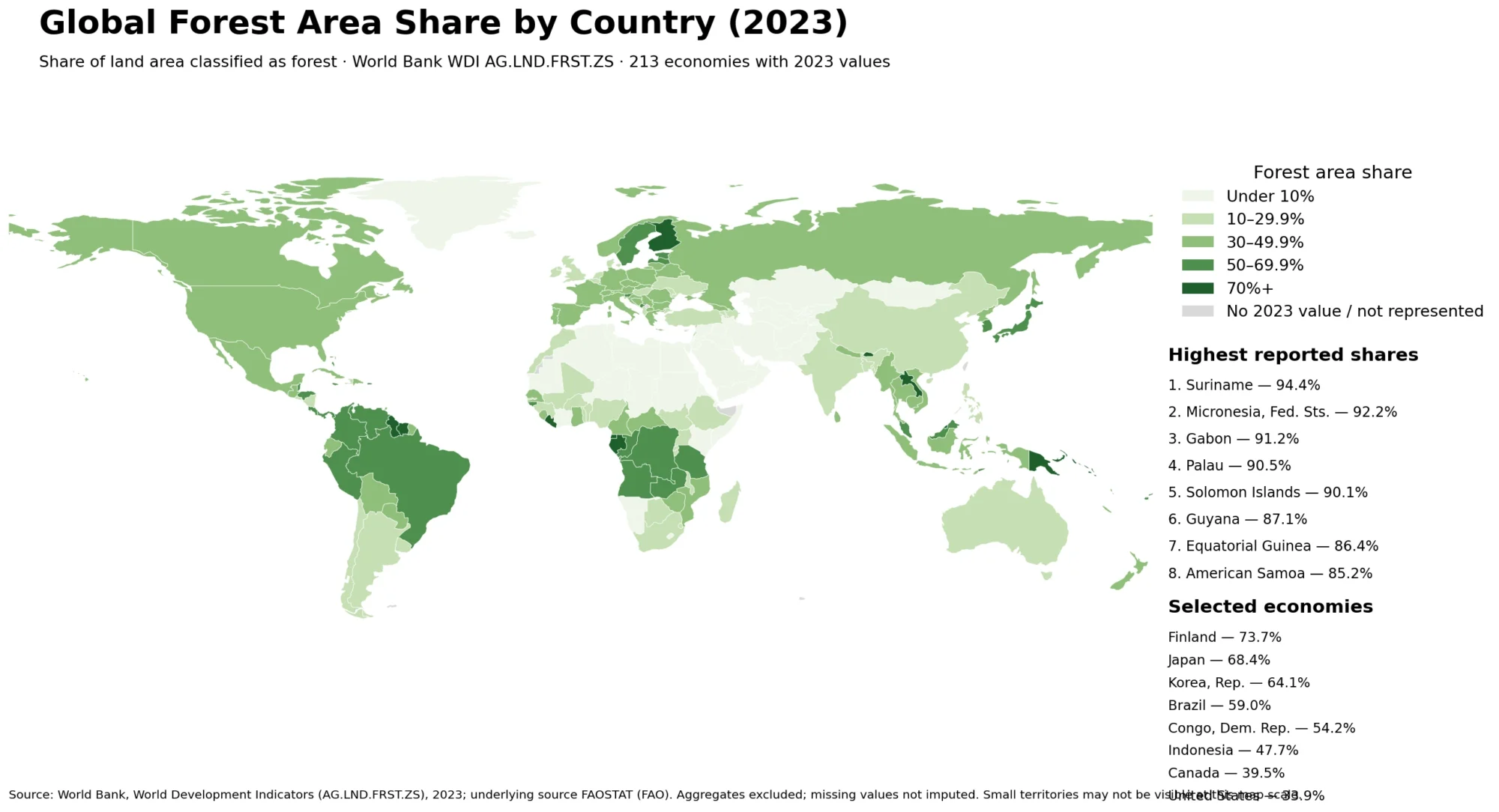
Related Maps
Green Map creates custom-edited map images using open geographic data sources such as geoBoundaries, Natural Earth, OpenStreetMap, and government open data.
These maps are edited visual materials, not raw data files, and are provided for education, documents, presentations, and graphic reference.