An Ecuador Map has to explain two geographic stories at once: a compact mainland on South America’s Pacific coast and the distant Galápagos archipelago. Ecuador borders Colombia to the north and Peru to the east and south, while its mainland opens toward the Pacific Ocean in the west. The country’s 24 provinces extend across coastal lowlands, the central Andes, the Amazon-facing east, and the islands.
This collection contains three confirmed map styles: a color administrative map, a labeled black-and-white map, and a blank provincial outline. Each uses an A3 landscape layout that places mainland Ecuador prominently on the page and gives Galápagos a separate box in the lower-left corner. The matching compositions allow readers to move between visual reference, monochrome printing, and custom annotation without changing the underlying provincial framework.
The labeled versions identify all 23 mainland provinces, mark Quito with a star inside Pichincha, and name Colombia, Peru, the Pacific Ocean, and the Gulf of Guayaquil. Galápagos appears as the twenty-fourth province in the island inset. These elements make the set useful for geography lessons, country profiles, presentation graphics, worksheets, and province-level comparisons rather than street navigation.
Table of Contents
Mainland Ecuador and the Galápagos Inset
Mainland Ecuador has a roughly north–south Andean spine between the Pacific side and the broader eastern provinces. The administrative pattern reflects this geography visually even though the maps do not show elevation. Provinces such as Pichincha, Cotopaxi, Tungurahua, Bolívar, and Chimborazo form a dense central sequence, while Pastaza, Orellana, Sucumbíos, and Morona Santiago occupy larger spaces toward the Amazon Basin.
Along the coast, Esmeraldas lies in the northwest, Manabí projects toward the Pacific, and Santa Elena, Guayas, and El Oro frame areas around or south of the Gulf of Guayaquil. An Ecuador Map makes these relationships easier to compare than a list of province names. It also shows why central labels require tighter placement than those in the more expansive eastern provinces.
Galápagos is geographically separate from the mainland and lies about 1,000 kilometers into the Pacific. Displaying the islands at their actual distance on one A3 page would either shrink mainland Ecuador excessively or leave a large amount of empty ocean. The boxed inset solves that layout problem, but it should not be read as showing the islands at the same scale or exact distance from the mainland.
What the Ecuador Map Collection Includes
All three images use provincial boundaries as their main administrative level. Ecuador also has cantons and parishes, but those divisions are not included. Roads, terrain shading, protected areas, travel routes, population figures, and detailed city locations are also outside the scope of this set.
The color and black-and-white versions use English map context and standard province names, although several Spanish diacritics are omitted in the artwork. For example, the image shows “Galapagos,” “Manabi,” “Sucumbios,” and “Canar,” while the standard spellings are Galápagos, Manabí, Sucumbíos, and Cañar. The map does not contain the Korean-and-English bilingual labeling claimed in the older description.
Color Administrative Version
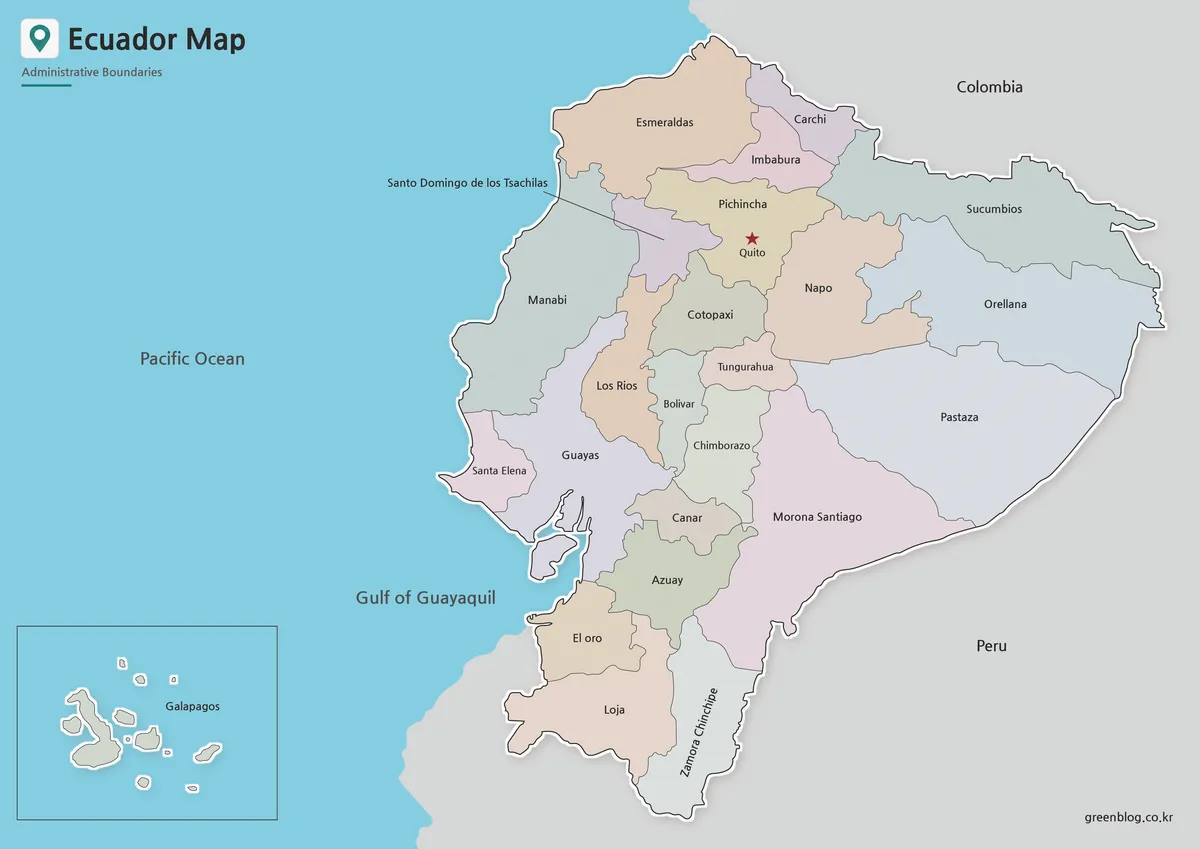
Muted fills distinguish neighboring provinces while keeping black labels readable. Color is particularly helpful through the narrow Andean corridor, where many provincial shapes meet within a relatively small section of the mainland. The treatment also separates large eastern provinces such as Pastaza and Morona Santiago without making their size overwhelm the smaller central units.
Use the color Ecuador Map when viewers need to recognize provincial divisions quickly in a presentation, classroom display, or online country profile. Colombia and Peru remain gray, while the Pacific and Gulf of Guayaquil are blue. A pale border and shadow lift Ecuador from its surroundings, and the red Quito star remains easy to locate within Pichincha.
The Galápagos inset repeats the ocean color and gives the islands their own framed space. This keeps the archipelago visible without suggesting that it sits immediately beside the mainland. For comparisons, readers should remember that the inset is a placement device rather than a continuous geographic view.
Labeled Black-and-White Version
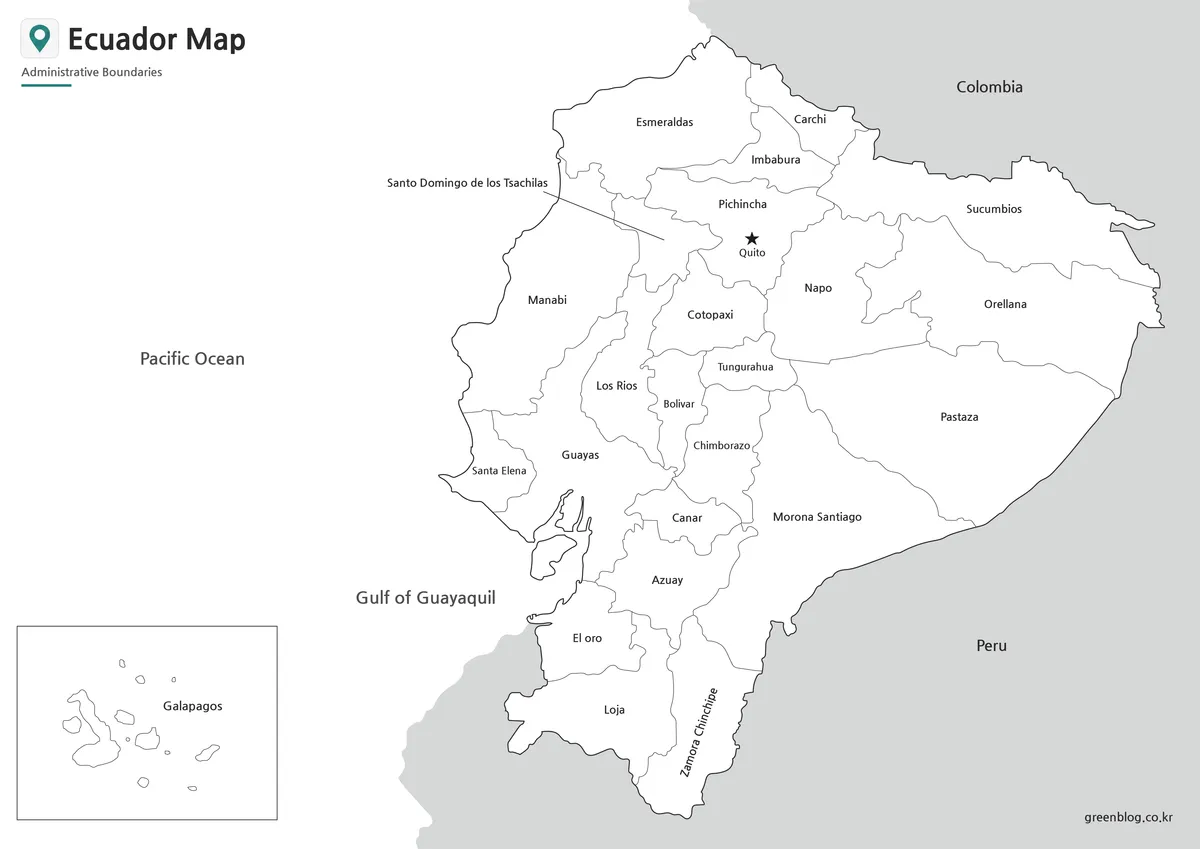
The monochrome map removes province fills but preserves all names, the Quito marker, international neighbors, surrounding water labels, and the Galápagos box. White interiors reduce visual competition in reports and worksheets, especially across the label-dense central highlands. They also leave room for handwritten numbering, symbols, or brief annotations.
On this Ecuador Map, users can trace provincial adjacency without color cues. A student might follow the northern border from Esmeraldas through Carchi to Sucumbíos, locate the eastern sequence beside Peru, or identify provinces surrounding the Gulf of Guayaquil. The image can serve as a reference sheet or as an answer key for an activity based on the blank outline.
Blank Provincial Outline
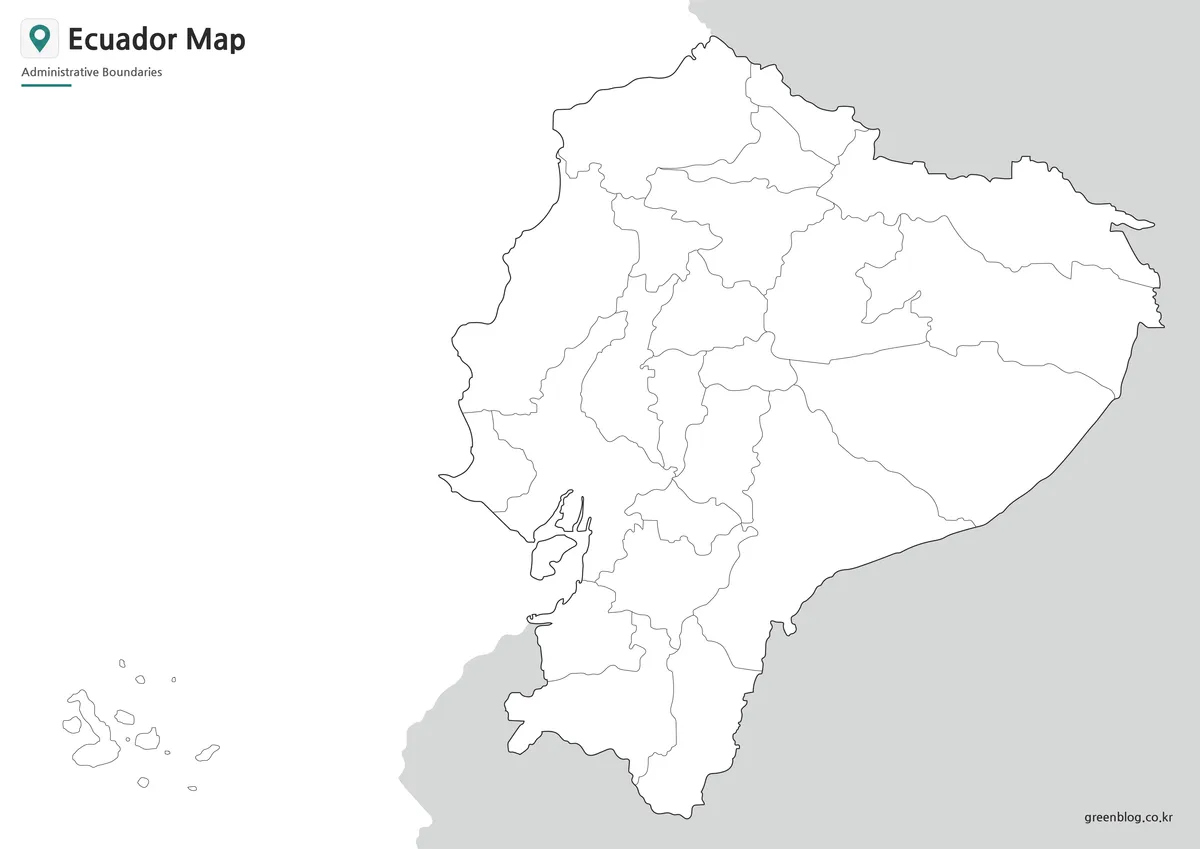
The outline version removes place names, the capital star, ocean labels, and the visible frame around the Galápagos group. It retains mainland borders, all internal provincial divisions, the island shapes, and simplified neighboring land. The open layout offers a flexible base for adding information without first covering existing text.
A blank Ecuador Map can support province-labeling exercises, regional coloring, capital-location practice, or a comparison of coastal, Andean, Amazonian, and island areas. Designers may add sourced statistics, travel paths, category colors, or presentation callouts. Because the supplied asset is a raster image rather than a confirmed vector source, individual provincial areas should not be assumed to function as separately editable paths.
Selecting the Best Version
Choose the color map when province recognition must be immediate. Its fills work well on slides, posters, blog headers, and regional comparisons. Select the black-and-white map when readers need the province names but the image will appear in a monochrome document or beside substantial written content.
The blank outline is the strongest choice when the reader is expected to complete the map. Teachers can pair it with the labeled Ecuador Map so students have an exercise page and a matching reference. Infographic creators can also duplicate the outline and apply a new color system based on properly sourced data.
These files are not substitutes for a current road, nautical, or topographic map. The Galápagos inset cannot be used to measure distance from the mainland, and the mainland boundary image does not provide a scale for route planning. Specialized tasks require a source designed for measurement or navigation.
Teaching, Printing, and Visual Projects
For a province lesson, begin by asking students to separate the 23 mainland provinces from Galápagos. A second activity can group provinces by broad geographic position: coastal, central Andean, eastern Amazon-facing, and insular. The map does not draw physical-region boundaries, so students should use a reliable geographic source when defining those groups rather than treating provincial lines as mountain or ecological limits.
Presentation creators can reveal the set progressively. Start with the blank outline, add the labeled monochrome reference, and finish with the color map to reinforce province separation and the position of Quito. The consistent page layout prevents the mainland and island inset from shifting between slides.
The A3 landscape format provides enough space for the Galápagos box and the long north–south mainland. When reducing the image to A4, letter size, or a narrow web column, inspect small central labels such as Bolívar and the leader line for Santo Domingo de los Tsáchilas. Excessive cropping on the left may remove the Pacific label or island inset, while cropping on the right can eliminate Colombia and Peru context.
Administrative and Labeling Limits
The 24 colored or outlined units represent provinces, not Ecuador’s four commonly described geographic regions. The coastal, Andean, Amazonian, and insular groupings help explain physical geography, but their boundaries and purposes differ from provincial administration. A province map should therefore be labeled as administrative rather than physical or tourism-based.
The Ecuador Map files provide a stable visual base, but any added population, travel, or environmental data should include its own source and reference year. This matters because the map itself contains no date-sensitive statistics. Separating the base geography from later data makes the resulting worksheet or infographic easier to verify and update.
Frequently Asked Questions
How many provinces are shown?
The collection represents all 24 provinces. Twenty-three are drawn and labeled on mainland Ecuador, while Galápagos appears in a separate island inset. Cantons and parishes are not shown, so the maps are intended for national province-level reference rather than detailed local administration.
Why are the Galápagos Islands placed in a box?
The archipelago lies roughly 1,000 kilometers west of mainland Ecuador. An inset keeps the islands visible while allowing the mainland and province labels to remain large enough for an A3 layout. The box does not preserve the islands’ exact distance from the coast or necessarily use the mainland scale.
Which Ecuador Map works best as a worksheet?
Use the blank outline when learners need to add province names, regional colors, or the location of Quito themselves. The labeled black-and-white version works well as a corresponding answer key because it retains all province names, the capital marker, neighboring countries, and the Galápagos inset.
Does the map show Quito and Guayaquil?
The labeled Ecuador Map marks Quito with a star inside Pichincha. Guayaquil is not marked as a city; only Guayas Province and the Gulf of Guayaquil are labeled. Users should not interpret a provincial label as a complete city map.
Can I edit the blank version in design software?
Yes, the image can receive text, arrows, markers, and color overlays in presentation or raster-editing software. No editable vector source is confirmed, however. Treat the file as a high-resolution image base rather than assuming its province boundaries are independent vector objects.
Map File Information
This download contains three Ecuador province maps showing the mainland, Quito, and the separately positioned Galápagos Islands.
- Included Versions: Color administrative, labeled black-and-white, and blank provincial outline maps
- Printable Size: A3 landscape layout
- File Type: Image files grouped in a ZIP archive
- Intended Use: Printing, education, presentations, annotation, blog graphics, and infographic design
Related Maps
- Costa Rica Map Download: Printable Color, Black-and-White and Outline Maps
- Printable Bolivia Map Set: High-Resolution Maps for Education and Design
- Printable Paraguay Map Collection for Education and Design Projects
- Argentina Map Pack: Color, Blank and Printable A3 Maps
Additional Resources
- Galápagos – Ecuador Travel: Ecuador’s official tourism website explains the archipelago’s position relative to the mainland and provides additional information for readers researching the island region.
Green Map creates custom-edited map images using open geographic data sources such as geoBoundaries, Natural Earth, OpenStreetMap, and government open data.
These maps are edited visual materials, not raw data files, and are provided for education, documents, presentations, and graphic reference.